The IDIOM Explorer and Customized Schema Panes |
  
|
The IDIOM Explorer and Customized Schema Panes |
|
The Explorer pane is used to display all of the schemas, decision models, and tables that are associated with a repository.
Schemas are used to assist navigation - they provide a natural catalogue for decisions and formulas and are, therefore, a natural extension of the `explorer' concept. Schema's share the explorer pane area, in that they are displayed on the left hand side.
You can also choose a Decision Model or Table item in the Explorer pane and IDIOM will then allow you to access the details of that item in the Workspace on the right hand side of the desktop. If you are working in the Workspace and no longer need to see the Explorer pane, you can close it (see Controlling Pane Position). This provides more space on the desktop for the Workspace.
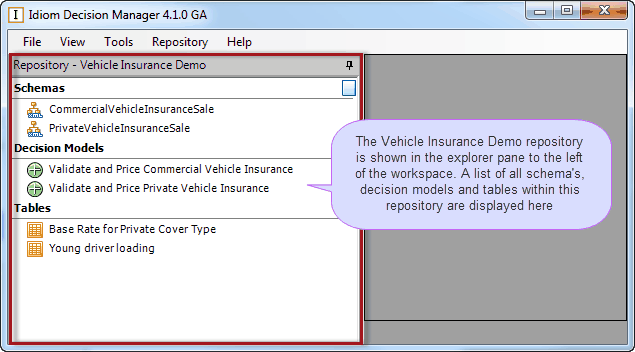
Figure 2-12: The Explorer pane, showing the Vehicle Insurance repository.
The customized Schema pane shows all of the decisions and formulas that are found within a repository. This pane, and all other panes that display tree views, have `Search' and `Expand Tree' buttons (see Expanding and Collapsing Tree Views and Finding Text).
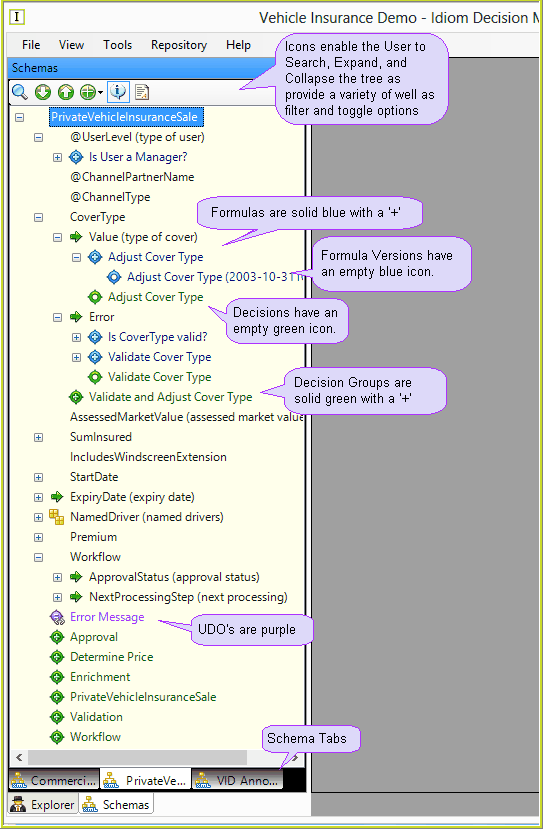
Figure 2-13: The customized Schema pane, showing the PrivateVehicleInsuranceSale schema.
customized Schema pane filter options
You can choose which elements will be displayed in the customized Schema pane using the Filter button  and selecting the appropriate option. When selected in the filter options, the element will be displayed on the tree.
Tip |
The customized Schema is only refreshed when you click back onto the customized Schema pane. |
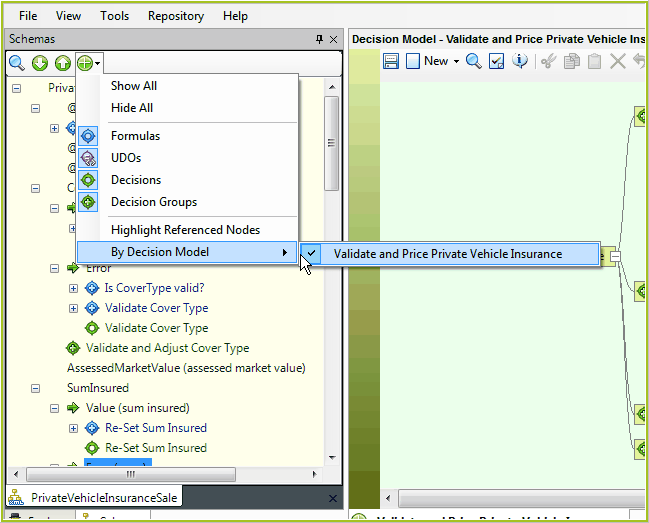
Figure 2-14: The Filter button and options for selection.
The display options are outlined in Table 2-3.
Schema Display |
Description |
Show All |
The default option. All formulas, decisions, decision groups and UDO's are displayed. |
Hide All |
No formulas, decisions, decision groups or UDO's are displayed. |
Formulas |
Formulas are not displayed on the tree |
UDO's |
UDOs are not displayed on the tree |
Decisions |
Decisions are not displayed on the tree |
Decision Group |
Decision groups are not displayed |
Highlight Referenced Nodes |
Highlights all nodes in the schema that are referenced by formulas and UDO's. See Highlight Referenced Nodes. |
By Decision Model |
When a Schema is linked to more than one decision model, selecting this option shows and/or hides the decisions and decision groups on the schema tree depending on whether the decision model is selected under the sub menu. Select a decision model to show that decision models linked decisions/groups, deselect a decision model to hide them. |
Table 2-3: customized Schema pane display options
Tip |
•'Ctrl' + 'Shift' + 'E' - opens the Idiom Explorer Tab •'Ctrl' + 'Shift' + 'S' - opens the Schema Tab |