Highlight Referenced Nodes |
  
|
Highlight Referenced Nodes |
|
To highlight all of the nodes in a schema that are referenced by one or more formulas or UDO's:
STEPS
1. |
In the Vehicle Insurance repository, double click on the PrivateVehicleInsuranceSale schema > customized Schema pane |
2. |
Click on the filter button and select 'Highlight Referenced Nodes' to toggle this option on. |
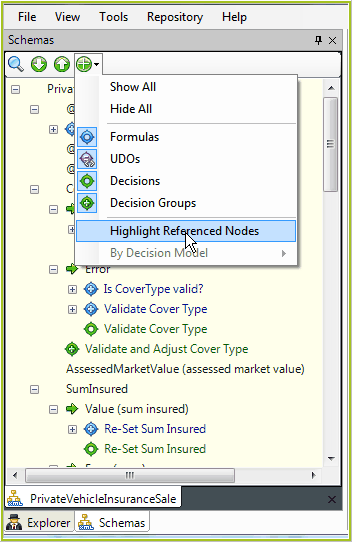
Figure 4-6(a) Highlight Referenced Nodes.
3. |
Click away from the drop-down box, and all nodes that have been referenced by a formula or UDO within any decision model in the repository, will be highlighted in yellow. |
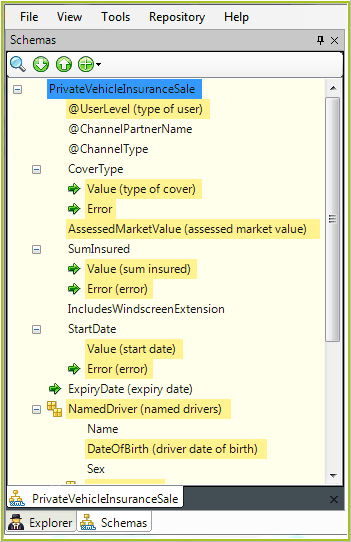
Figure 4-6(b) View Referenced Node option is turned on.
This view is automatically updated every time a formula or UDO is saved.