Linking a Schema to a Decision Model |
  
|
Linking a Schema to a Decision Model |
|
Only the System or Workgroup Administrator can add a schema to a decision model.
To link a schema to a decision model:
STEPS
1. |
Open the Validate and Price Commercial Vehicle Insurance decision model |
2. |
Click on the decision model Properties button > Properties dialog box |
3. |
Right-click on an empty row in the Schemas table and select `Add Schemas' |
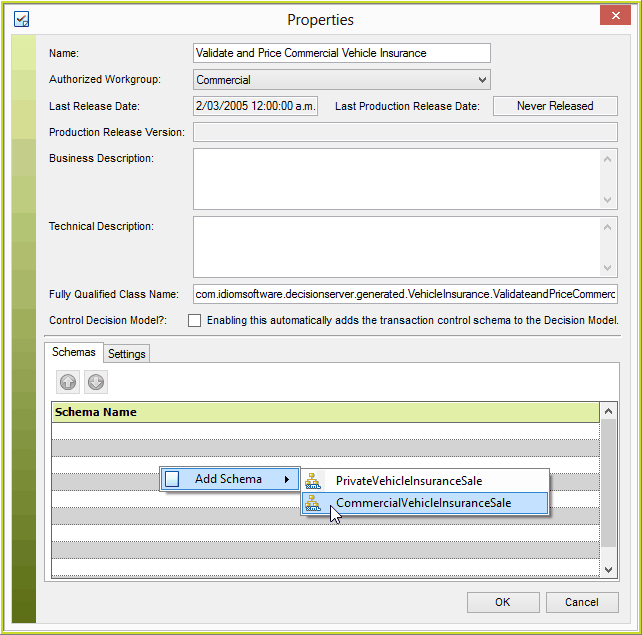
Figure 6-73: Linking a schema to a decision model
4. |
Select the appropriate schema (here - CommercialVehicleInsuranceSale). |
5. |
Click on Ok |
NOTE: Only schemas that are available within the repository and not already linked to the decision model will display. If the schema you require is not displayed you may have to import it. (see Import Schema)