Adding a Customized Schema to the Explorer Schema View |
  
|
Adding a Customized Schema to the Explorer Schema View |
|
Adding the schema to the Explorer Schema view is required before you can select it for any Decision Model, so that the Explorer Schema view is the list of active Customized Schemas
STEPS to add an existing customized schema to the Explorer Schema view
1. |
Click on 'Tools' | 'Schema Administration' > Schema Administration window. |
2. |
Click and drag the desired customized schema from the Customized Schemas table onto the Explorer pane. It does not matter where you drag the schema as it will automatically appear under `Schemas'. You can also right-click on the schema and select `AddToRepository'. This will make the schema available to the Decision Model properties. |
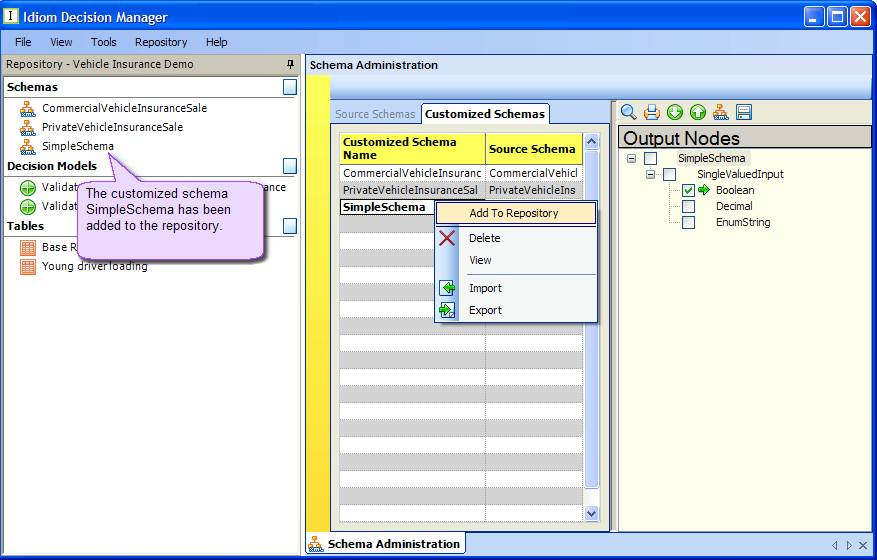 Figure 6-54: Schema Administration window