Modifying a Decision Model |
  
|
Modifying a Decision Model |
|
Both the System and Workgroup Administrators can make changes to decision models that have already been created. These include changing access authorizations and adding/removing schemas to/from particular decision models.
STEPS
1. |
Once the decision model has been opened, click on the decision model Properties icon in the decision model. IDIOM opens the decision model Properties dialog box. |
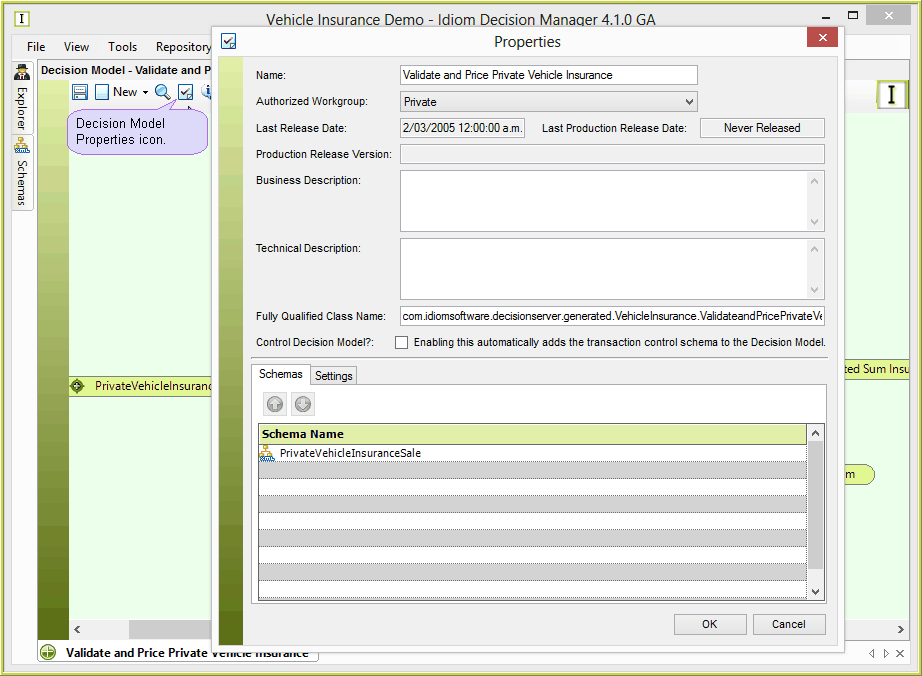
Figure 6-72(a): The decision model Properties button in the decision model palette.
2. |
An administrator may then change the various properties descriptions and settings, as well as add and delete schemas from the decision model. |
•Name: this is where the decision model name can be changed
•Authorized Workgroup: the authorized work group can be selected (See Workgroups)
•Last Release Date - date of the latest locally initiated release date) (See Releasing the Repository)
•Last Production Release - date of the last successful server production release. (See Production Release)
•Business Description: this will show in various panes as 'Description'
| • | Technical Description: this will show in various panes as 'Technical Description': |
•Control Decision Model?: Marks this decision model as a Control decision model. A Control decision model is used to define a succession of (other) decision models that need to be called by the IDIOM Decision Engine in order to fully process the context data. Nomination of the required models is achieved by writing the model name to a document that is defined by the ‘Transaction Control Schema’. This system defined schema is automatically added to the Control model set of schemas. (See Decision Server Control Model)
•Schema Tab: Schema Tab: Displays schema's attached to the decision model. An administrator may add or delete schema's to a decision model (See next two topics). Note that this does not actually create or delete schemas; it adds or deletes them only to the list of schemas used by the decision model. (See next two topics)
•Settings Tab: This is where the Inline Test Settings can be set. (See In-line Test Settings)