Deleting a schema from a Decision Model |
  
|
Deleting a schema from a Decision Model |
|
To delete a schema from the decision model
1. |
Open the Validate and Price Commercial Vehicle Insurance decision model |
2. |
Click on the decision model Properties button > Properties dialog box |
3. |
Right-click on a row in the Schemas table and select `Delete Schemas' |
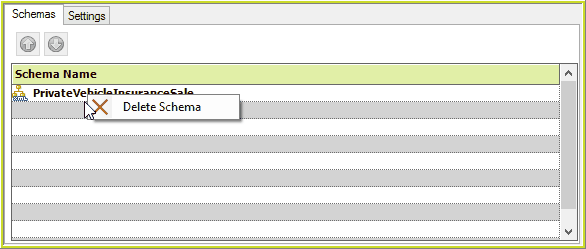
Figure 6-74(a) Deleting a schema from a decision model.
Note that this action is not deleting the schema from the Repository – it is ‘un-linking’ it from this model only. When delete is selected, IDIOM will show you all of the decision groups and decisions that will be affected if you delete the selected schema from the decision model. If you delete the schema from the decision model, the affected decisions will lose their output (or ‘context’) node (as the schema is being removed). Formulas are not affected because formulas belong to the schema itself, not to the decision model.
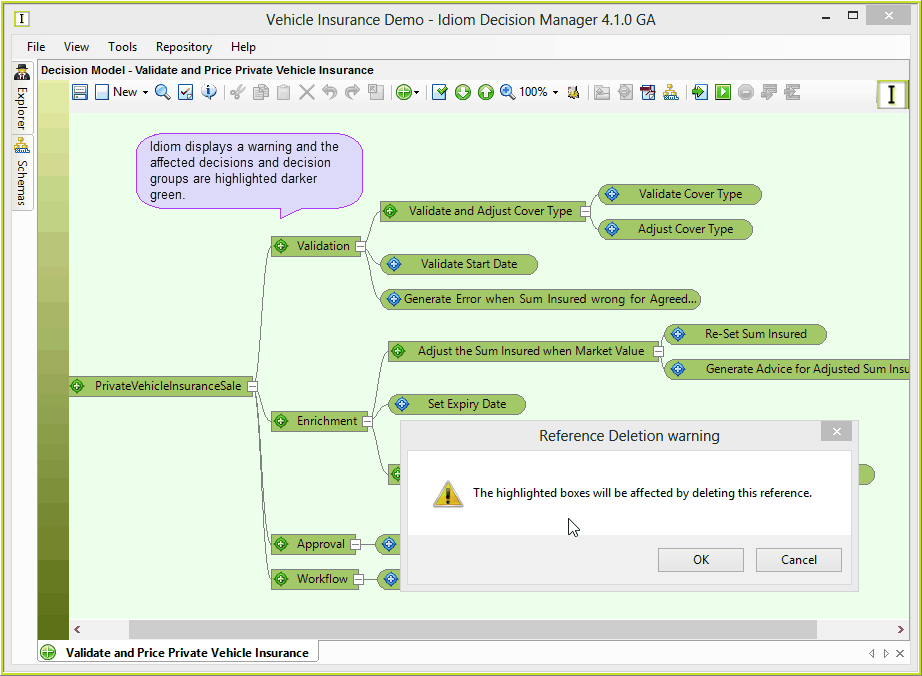
Figure 6-74(b): Reference deletion warning.
4. |
Select OK to remove the schema, or cancel to return to the Properties dialog box. |