Generate Default Formulas |
  
|
Generate Default Formulas |
|
Generate Default Formulas generates an unresolved formula for every decision in the decision model that has a context (i.e. that has been linked to a node on the schema) but that has not yet been associated with a formula. Default formulas are created with the same name as that of the decision they will be associated with and they have default effective and end date values.
STEPS
1. |
Open the Validate and Price Private Vehicle Insurance decision model |
2. |
Create a new decision (see Creating Decisions/Groups) and drag the Value node from the schema on to the new decision (see Linking Decisions/Groups to Schema Nodes) |
3. |
Click on the New |
4. |
Unresolved formulas will now appear in the customized Schema pane. These will have the same name as that of the decision they are associated with, and a red icon to show they are incomplete. |
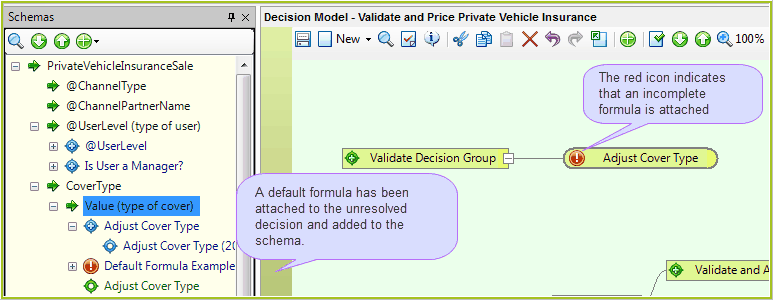
Figure 3-12(b): An incomplete formula.
NOTE: No unresolved formulas will appear if you already have formulas associated with each decision in the decision model (as is the case with the sample repositories provided).
