Attaching Formulas to Decisions |
  
|
Attaching Formulas to Decisions |
|
The result, or output from a formula's execution can only be `persisted' via a decision, which links the output to a node on the schema.
There are three ways in which you can attach individual formula versions to a decision:
•Right-click on the decision in the customized Schema pane and select 'New Formula'. |
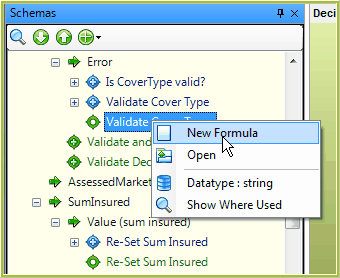
Figure 3-10 create new formula from the schema.
OR
•Right-click on a decision in the decision model and select 'New Formula'. |
OR
•Drag an existing formula onto a decision in the decision model. |
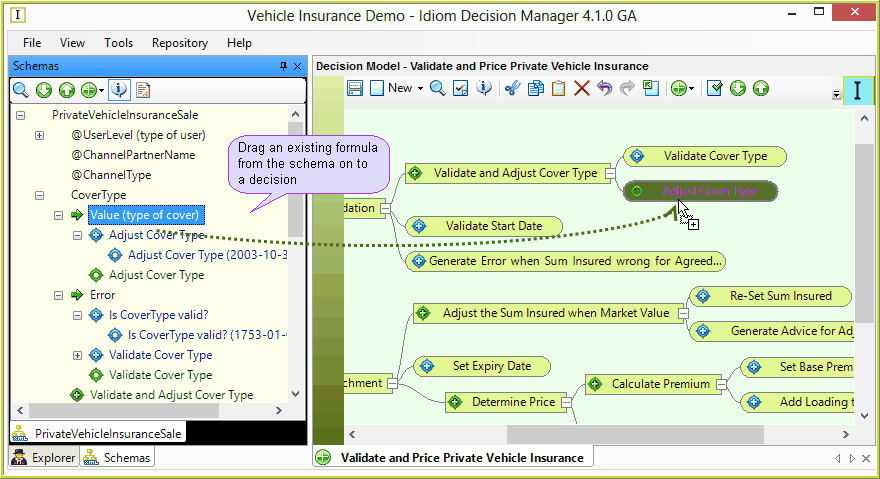
Figure 3-12: Drag a formula on to a decision.
Note: A formula cannot be added or attached to a decision that has not been linked to a node on the schema. When at least one formula has been linked to a decision, the icon on the decision changes to the blue formula icon.