Create Specialist Decision Model |
  
|
Create Specialist Decision Model |
|
We will now create the four 'specialist' decision models, and populate them with their required decisions and formulas.
STEPS to update the existing ‘Validate and Price Private Vehicle Insurance’ decision model
1. Open the existing decision model ‘Validate and Price Private Vehicle Insurance’.
2. Remove the decision ‘Add Loadings to Premium’ (select it and press delete)
3. Remove the decision group ‘Approval’ (select it and press delete)
4. Remove the decision group ‘Workflow’ (select it and press delete).
This is now a model which will undertake the standard insurance application checks and calculate the base premium. The loadings will now be calculated by the new specialist decision models ‘Young Driver Loading’ and ‘Claim Loading’, and the approval and workflow will be undertaken by the new specialist decision model ‘Status’. We will create these new decision models next.
The amended ‘Validate and Price Private Vehicle Insurance’ decision model now appears as it does in figure 3-89 below.'
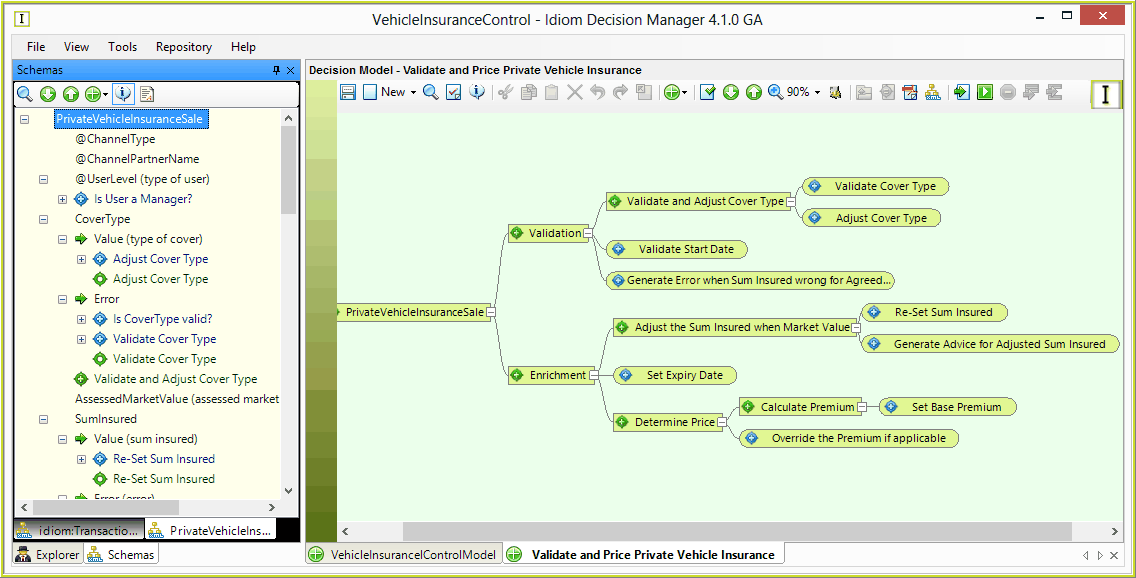
Figure 3-89: The amended Decision Model
STEPS to create 'Young Driver Loading' decision model.
1. |
Firstly create a new decision model 'Young Driver Loading', as a standard decision model (i.e. the Control Decision Model box not ticked), and attach the standard 'PrivateVehicleInsuranceSale' schema only. (See Creating a new Decision Model) |
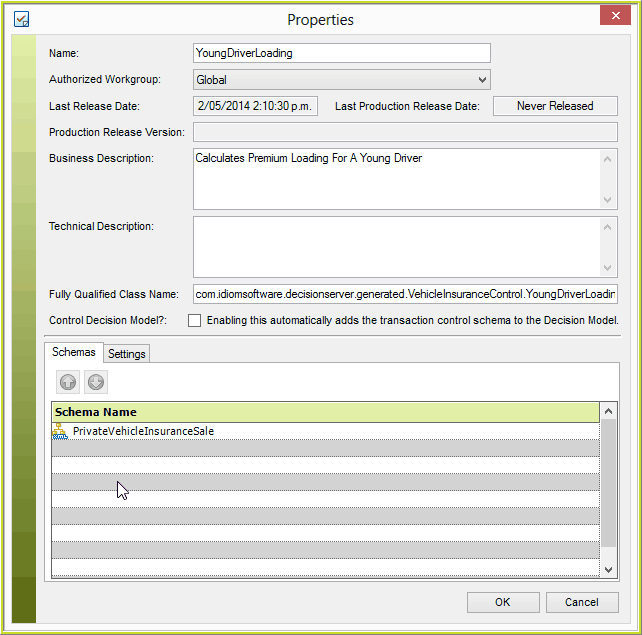
Figure 3-90: Create Specialist Decision Model
2. |
Now we will create a single decision 'Determine Young Driver Loading' with the context on the 'Value(premium amount)' node within the 'Premium' node, as highlighted in the example below. (see Creating decisions/groups) |
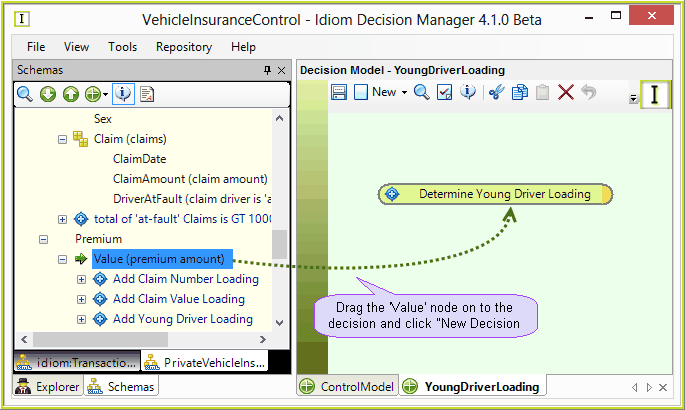
Figure 3-91: Creating a new 'specialist' Determine Young Driver Loading decision.
3. |
Now we will create a formula for the 'Determine Young Driver Loading' decision, to add a percentage loading to the base premium (note the base premium is calculated by 'Set Base Premium' formula in the ‘Validate and Price Private Vehicle Insurance’ model), determined by looking up the number of young drivers on the 'Young Driver Loading' table.(See Creating your first formula) |
NOTE: the formula has been split in two for ease of viewing the entire formula in one image.
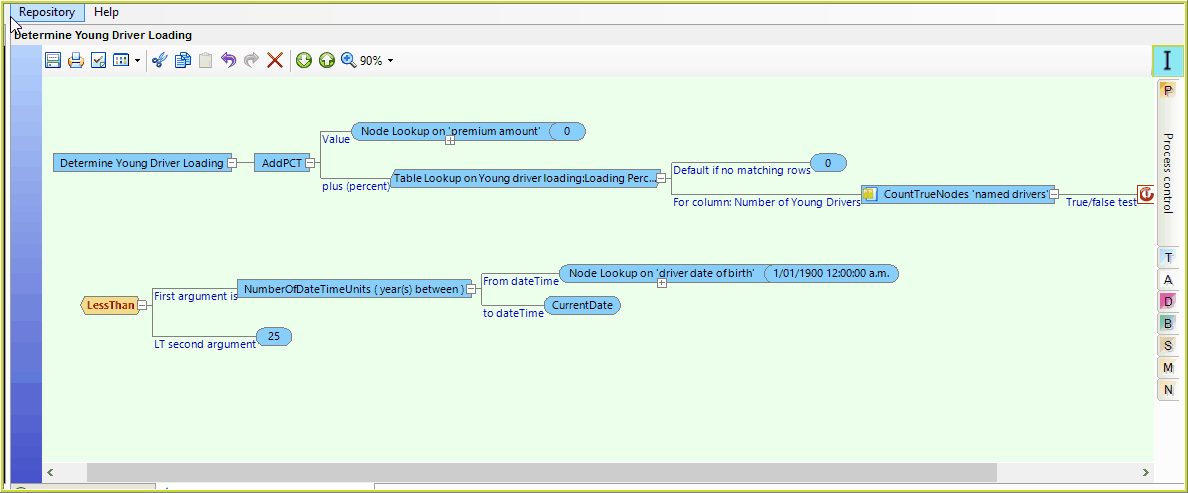
Figure 3-92: Add a percentage based on the number of young drivers formula
4. |
Save the new formula and the decision model. |
STEPS to create 'Claim Loading' decision model.
1. |
Now follow a similar process as detailed in steps 1 and 2 above to create another new decision model called 'Claim Loading' containing 2 new decisions 'Determine Claim Value Loading' and 'Determine Claim Number Loading' NOTE: both decisions have the same context as 'Determine Young Driver Loading' above, e.g. the 'Value(premium amount)' node. |
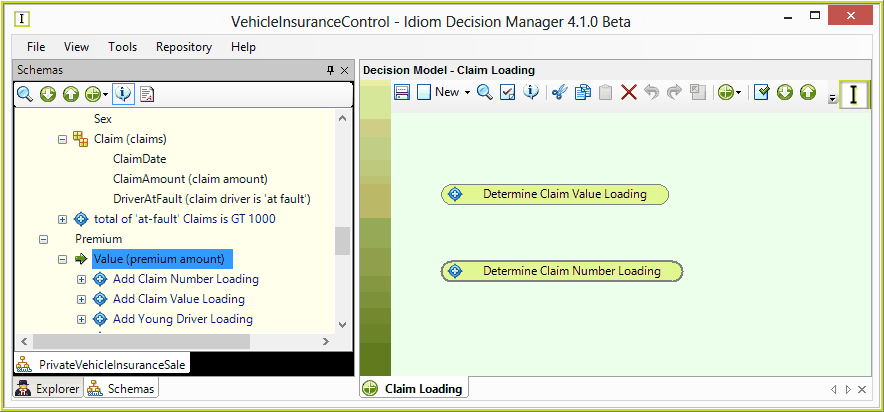
Figure 3-93 Claim Loading Decision Model
2. |
Create the first formula for 'Determine Claim Value Loading' – to add a 25% loading to the premium if the driver has more than $10,000 of at fault claims. |
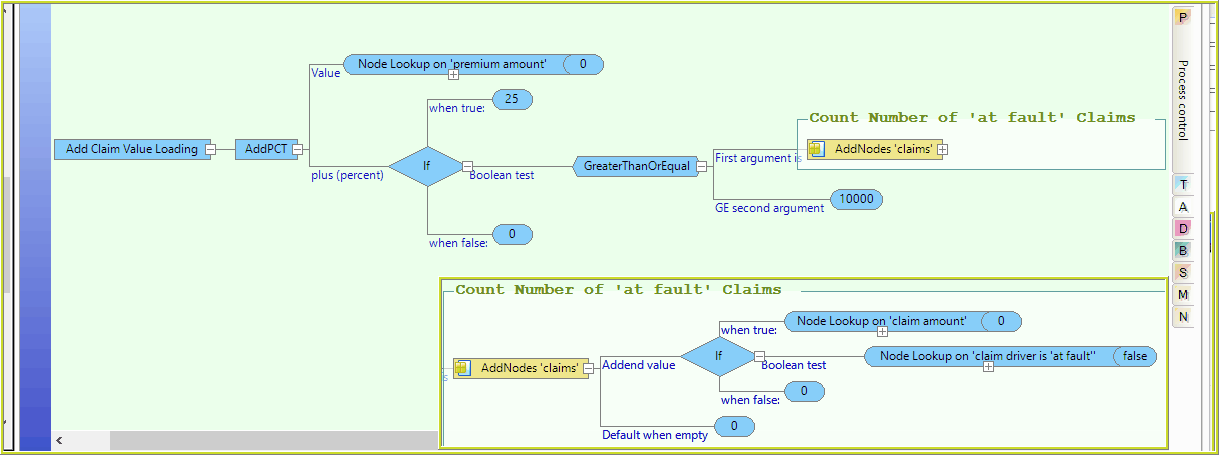
Figure 3-94: Claim Value Loading Formula
3. |
Create the second formula for 'Determine Claim Number Loading' – to add a 20% loading to the premium if the driver has 3 or more claims in total (regardless of fault). |
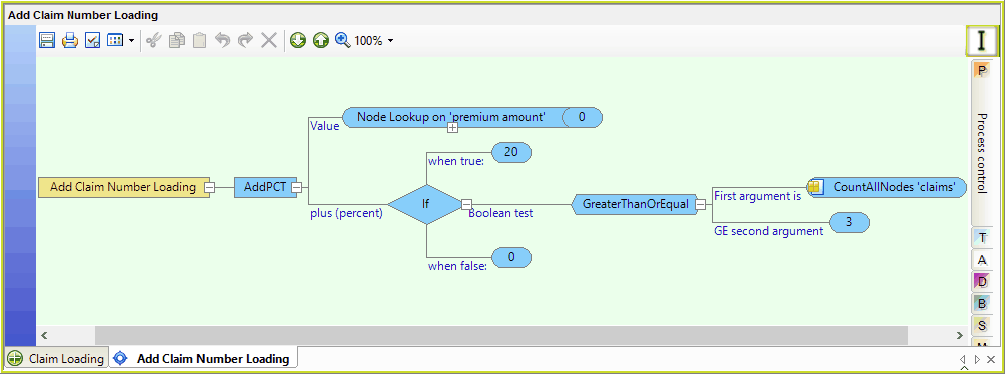
Figure 3-95: Claim Number Formula
4. |
Save the new formulas and the decision model. |
STEPS to create 'Status' decision model.
1. |
Now follow a similar process to create another new decision model 'Status' containing 1 new decision 'Determine Status' with the context of ApprovalStatus (approval status), and the existing decision and formula “Set Next Processing Step” which we removed from the “Validate and Price Private Vehicle Insurance” model earlier. |
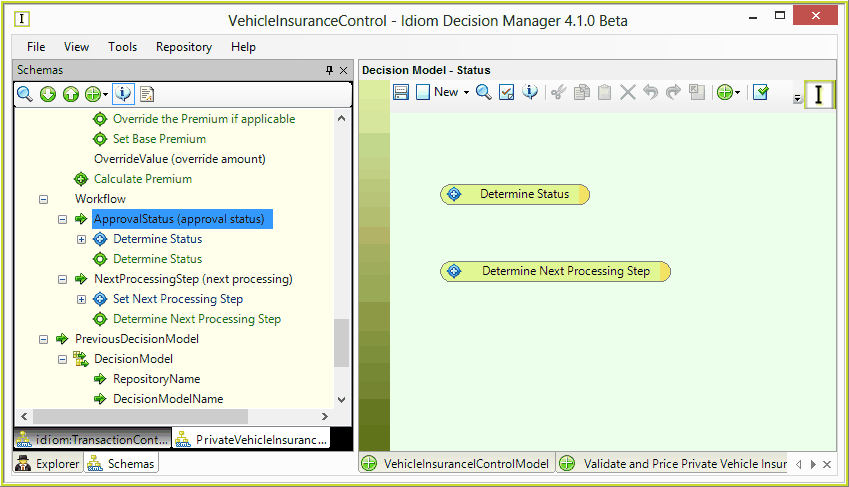
Figure 3-96 Status decision model
2. |
Create a new formula for 'Determine Status' – to set the status of the application, based on any error conditions breached to date, and the authority level of the user. Save the new formula. |
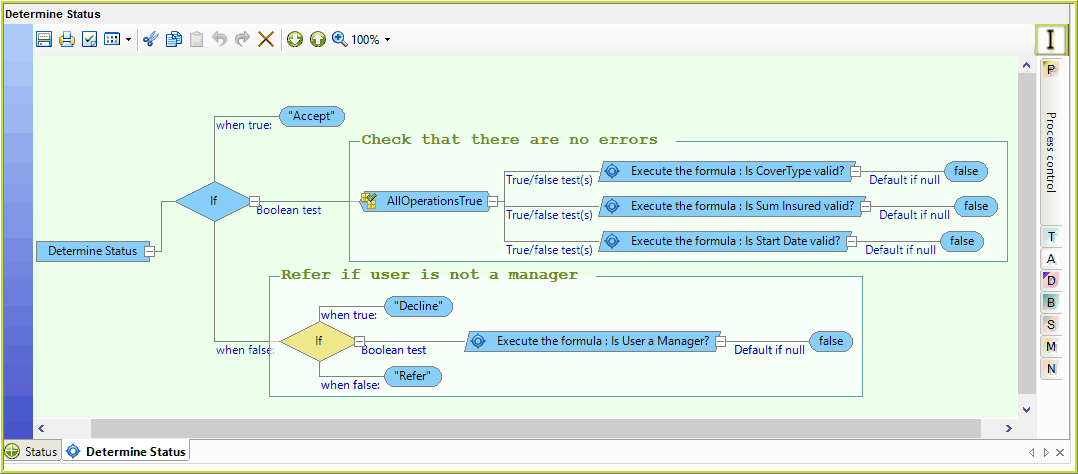
Figure 3-97 Determine Status Formula
3. |
Drag the existing formula for ‘Set Next Processing Step’ on to the second decision ‘Determine Next Processing Step’ |
4. |
Save the decision model. |
Your 'specialist' decision models and formulas are now ready to be utilised by the Control decision model at runtime.