Clearing Nodes |
  
|
Clearing Nodes |
|
To clear existing node values:
STEPS
1. |
Select an output node with an existing value e.g. Sum Insured Value |
2. |
Select one of three options to clear the node value: •Right-click and select Delete Node Value •Click on the Cut Node Value button •Click on the Delete Node Value button |
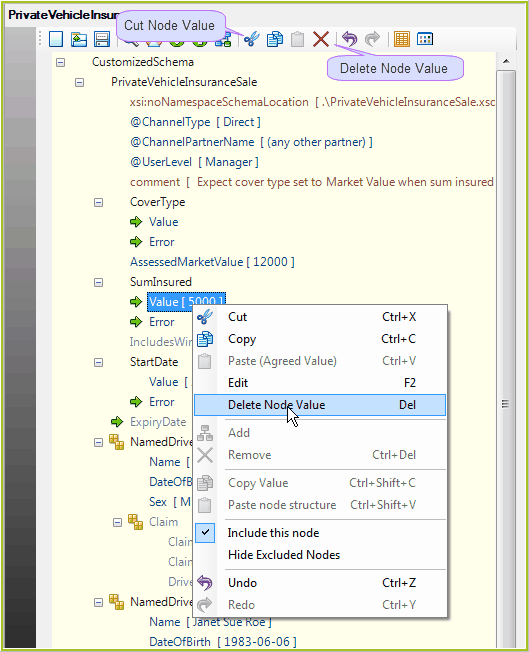
Figure 3-46: Clearing node values
The value associated with the node is cleared i.e. Disappears from the document.
3. |
You can now save your changes by clicking on the Save button, and save the XML document. |
Tip |
You can clear all of the existing node values by clicking on the New Document button To remove a repeating node from the schema, right-click on the node and select `Remove'. |
 in the Toolbar.