Adding Nodes |
  
|
Adding Nodes |
|
Attributes and elements can be added to the document builder by right-clicking on a node and selecting Add. The debugger will present a list of attributes and elements that are defined in the schema but which don't exist in the document builder:
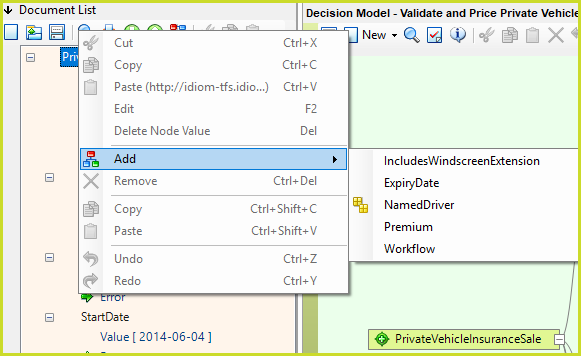
Figure 3-47a: Adding Nodes in Document Builder.
In the Document Builder, repeating node icons  represent nodes that can have more than one value.
Because you are creating a document that will contain the multiple values you need to add a node for each instance i.e. you will need to enter a value for each NamedDriver.
Here, the repeating node icon does not represent multiple values as in the customized Schema pane, but instead represents the potential for multiple values to be added to the document for input and testing.
Adding a parent repeating node:
1. |
Right-click on the parent repeating node, e.g. NamedDriver, and select `Copy NamedDriver'. |
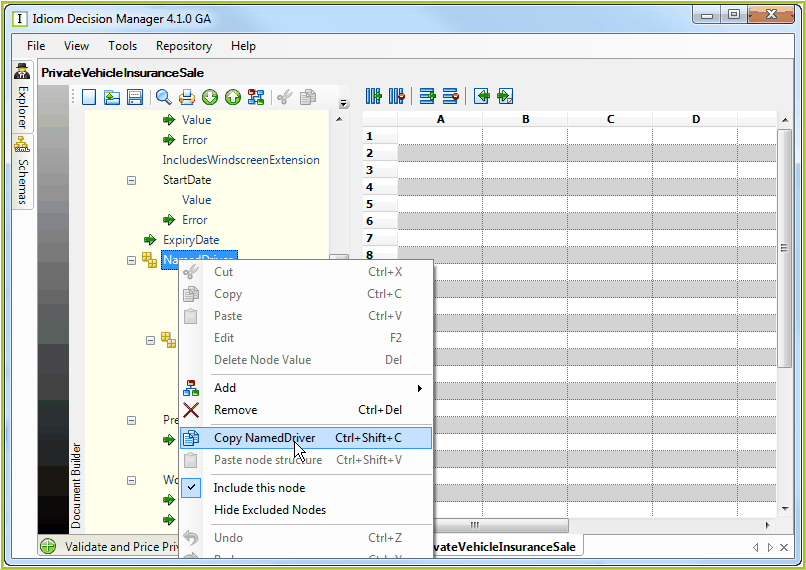
Figure 3-47: Copying a repeating node in the Document Builder
2. |
Right-click on the schema root node, e.g. PrivateVehicleInsuranceSale, and select 'Add' > 'Named Driver' |
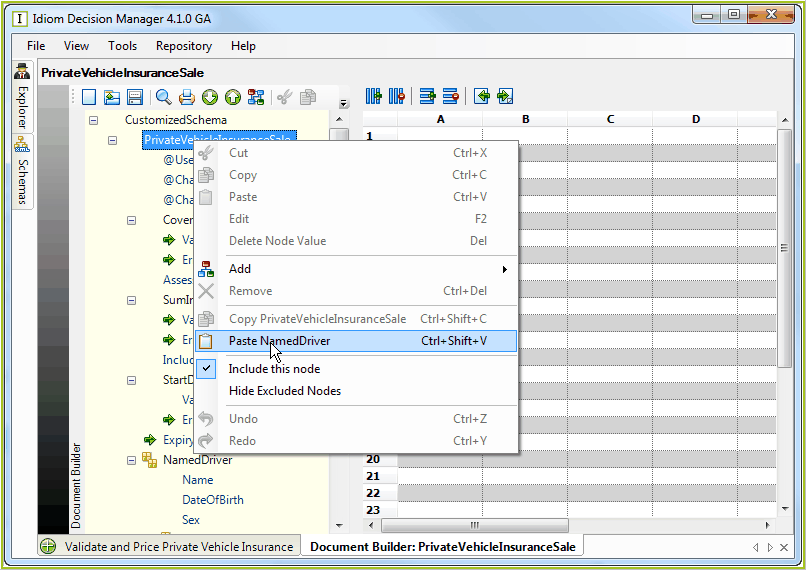
Figure 3-49(a): Adding a repeating node in the Document Builder
3. |
Enter the number of copies of the node that you wish to add to the schema in to the document builder dialog box |
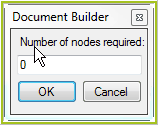
Figure 3-49(b): Number of Nodes
4. |
Click OK. IDIOM automatically adds the specified number of repeating nodes below the initial repeating node |
5. |
Click on the Save button. |
Adding a child repeating node:
1. |
Right-click on the original child repeating node (i.e. a repeating node that is the child of another repeating node, such as Claims) and select Copy 'xxx', where 'xxx' is the name of the child repeating node |
2. |
Right-click on the parent repeating node (in this instance, one of the NamedDriver nodes) and select Paste 'xxx', where 'xxx' is the name of the child repeating node > Document Builder dialog box |
3. |
Enter the number of copies of the child repeating node you wish to add to the schema. |
4. |
Click on OK - The specified number of copies of the child repeating node will automatically be added to the schema below the parent repeating node |
5. |
Click on the Save button. |
Deleting a repeating node:
1. |
Right-click on the repeating node and click Remove. |
2. |
Alternatively use the shortcut key 'Ctrl' + 'Delete'. |
Tip |
If you hold your mouse cursor over the schema nodes, a comment box will show you the datatype and number of occurrences of that node within the document. |