Validation Errors |
  
|
Validation Errors |
|
If any decision model validation errors occur when running the debugger, the Release pane will open with the validation results. You will then have to make the necessary adjustments to your decision(s)/rules to ensure they validate.
In the following example we have created a new decision on the palette without a formula or context node, and removed a part of a formula prior to running the debugger:
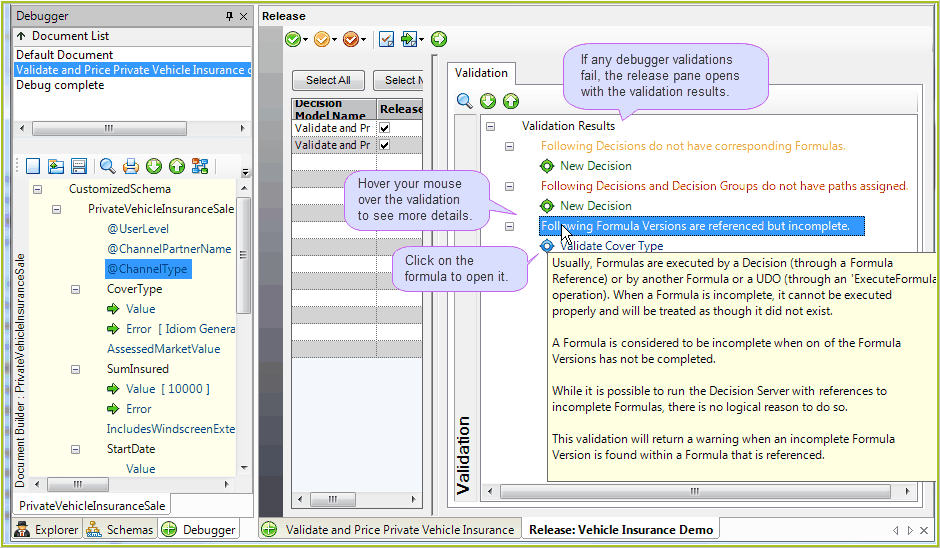
Figure 3-40: The Validation Results pane, displaying validations found when running the debugger.
The failed validations together with the associated decisions, tables and/or formulas are listed in the Validations pane.
Hover your mouse over the Validation to view a pop up box with further details about why the validation may have occurred.
Double-click on a decision, decision group, or formula reference error to open the decision model or formula palette.