Specifying the effective date |
  
|
Specifying the effective date |
|
1. |
The effective date for In-line testing can be specified using the drop-down menu of the Run button. Click on the drop-down arrow while holding the mouse button down. A click and release will start a Run without presenting the menu. |
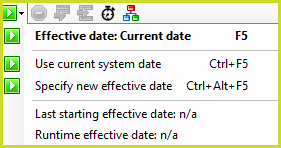
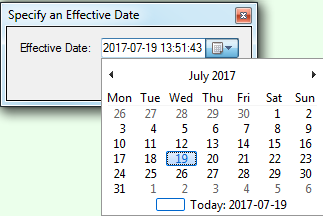
Selecting 'Specify new effective date' presents the 'Specify an Effective Date' dialog box.
2. |
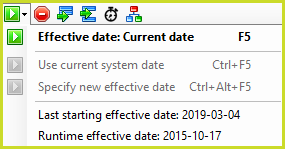
Clicking on the button itself or selecting the first item in the drop-down list uses the most recently used effective date. The Last starting effective date shows the effective date with which the decision model run started. The Runtime effective date shows the effective date after or during execution, at a breakpoint or after a Step Into/Over. |
3. |
Pressing Ctrl+F5 will perform a In-line test with the current date/time instead of the selected Effective Date. |