Toggle Schema Tool-tips |
  
|
Toggle Schema Tool-tips |
|
The tool-tips that display when you hover over an item in the schema tree can be toggled on or off as preferred.
STEPS
1. |
Click the 'Toggle Tool-tips' icon to turn the tool-tips on. |
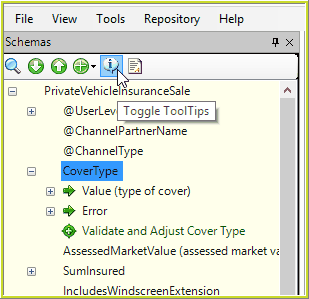
Figure 2-31(a): The Tool-tips toggle on/off button.
2. |
Hover your mouse over an item in the schema tree. |
A blue box appears around the tool-tips button to indicate the function is toggled on, and Idiom displays tool-tips whenever you hover your mouse over an item in the schema.
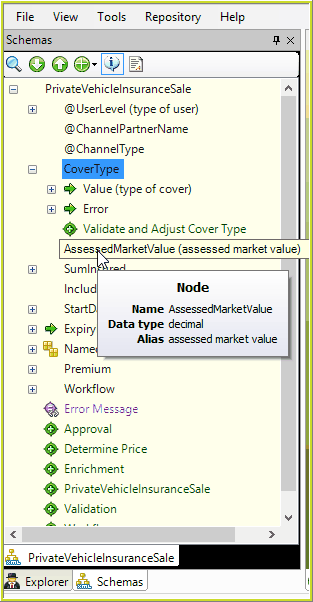
Figure 2-31(b): Tool-tips toggled on.
NOTE: Any ‘Annotations’ on the source schemas are now passed through to the customized schemas and are viewable in the schema pane, when these tool-tips are toggled on.
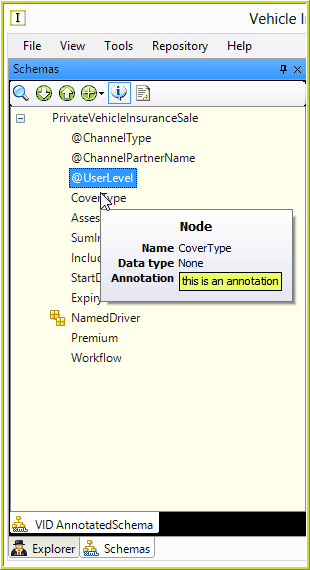
Figure 2-31(c): Annotated Source Schema
3. |
Click the 'Toggle Tool-tips' icon again to turn the tool-tips off. The blue box around the tool-tips button is removed to indicate the function is toggled off, and Idiom no longer displays tool-tips whenever you hover your mouse over an item in the schema. |
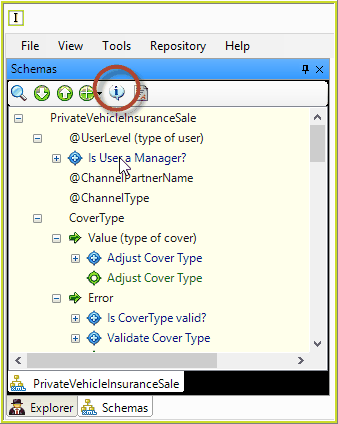
Figure 2-31(d): Tool-tips toggled off.