Specifying Visible Rows |
  
|
Specifying Visible Rows |
|
Table Contents can be large sets of data, which can make the decision model documentation a very large document if all Table Contents are included.
The following steps define how to restrict the extent of the Table contents that will be included in the decision model documentation:
STEPS
1. |
Click on Tools | Options > Options dialog box, and select the ‘PDF Generation’ tab. |
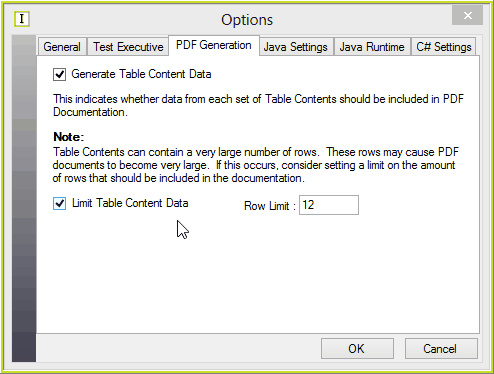
Figure 6-95: The Options dialog box - PDF Generation screen
2. |
Check the Limit Table Content Data check-box |
3. |
Enter the number of rows of each set of Table Contents to be included in the PDF document |