Running the Release Process |
  
|
Running the Release Process |
|
You can release an individual decision model or the whole repository. Once you have selected the desired decision model/repository, the release process is the same for both.
The System Administrator can release the entire repository and all of the decision models within it; the Workgroup Administrator can only release decision models that have either been authorized to their workgroup or to `Global'.
If you are a System Administrator and have chosen to release the entire repository, IDIOM will display all of the decision models with their check boxes ticked. If you choose to release a decision model through the Explorer pane, IDIOM will display all decision models, but only the decision model you selected in the Explorer will have its check box ticked and you will not be able to select any other decision models in the Release pane.
STEPS to select an individual decision model for release:
To select an individual decision model to be released:
1. |
Right-click on the desired decision model in the Explorer pane, and select 'Release'. |
IDIOM opens the Release pane with only the selected decision model made available for release.
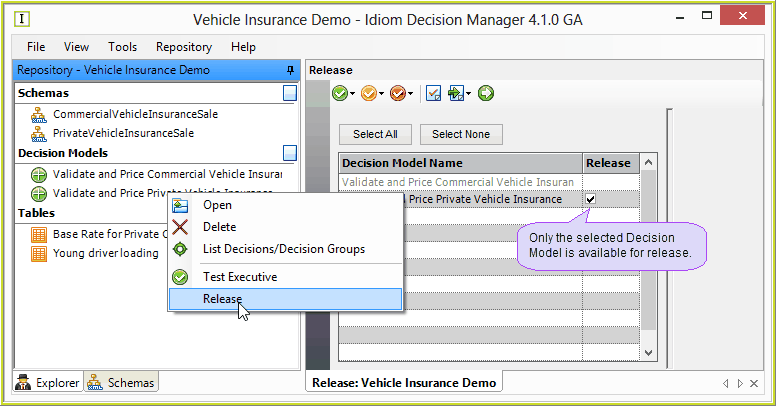
Figure 7-25(a): Selecting an individual decision model for release.
STEPS to select an multiple decision models or the entire repository for release:
1. |
Click on Repository | Release > Release pane |
IDIOM opens the Release pane with all decision models listed and available for release.
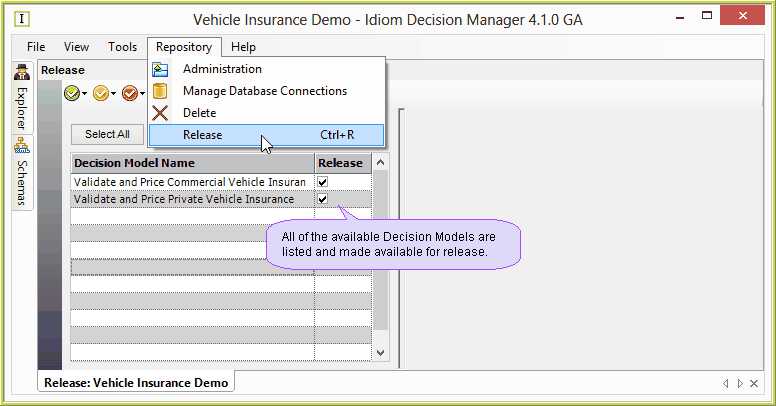
Figure 7-25(b): Selecting an individual decision model for release.
2. |
You can use the tick boxes in the decision model name area to de-select the decision model(s) that you do not wish to release. |
STEPS to run the release.
1. |
Ensure that the Generation Options have been correctly set up for release (see Edit Generation Options) |
2. |
Select the decision models you wish to release and click on the Run button Alternatively you can right-click on the decision model that you wish to release and select 'Run Deployment Process'. |
3. |
IDIOM will now: •validate the decision model/s (see Validating the Repository), and if validation is successful: •generate and/or compile the appropriate files, (including .pdf documents, and zip packages etc if selected) and place them in the directory specified in the Generation Options. •confirm that the release process is complete. |
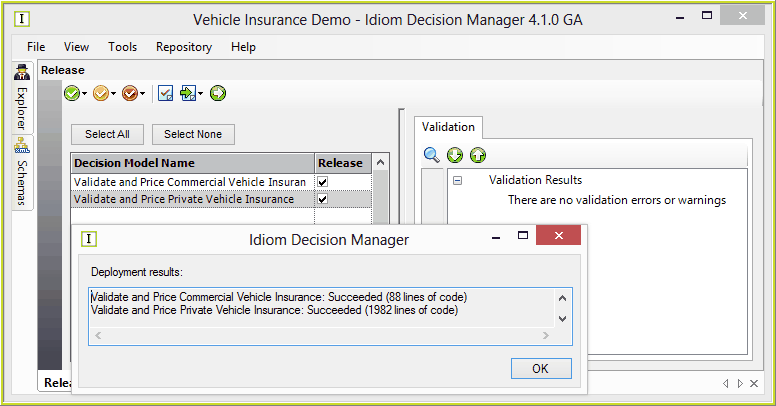
Figure 7-25(c): Idiom displays confirmation that deployment has been successful.
Your released artifacts will be saved to the generation path/s selected
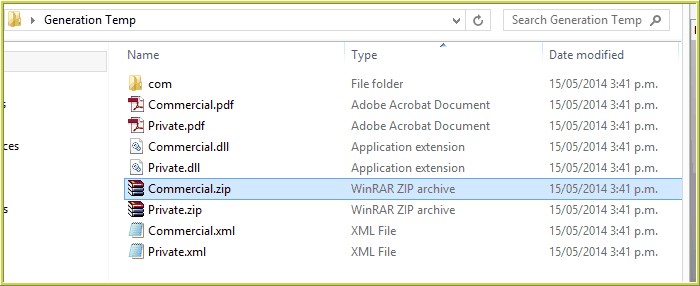
Figure 7-25): The deployed assets are saved to the specified generation paths
NOTE: You can change the `Environment' properties from the Release pane by clicking on the Setup Environment Properties button  . This is the same dialog box that appears if you click on Tools | Options, or select the Setup Environment button
 from the Test Executive, and more details are provided under these topics. (See Setting up the Test Environment).
 .