Output Nodes |
  
|
Output Nodes |
|
You use the Output Nodes view of the schema to mark the visible nodes that will be associated with the output from a decision.
You will only see nodes in the Output Nodes view that have already been marked as visible in the Node Visibility view (see Node Visibility).
STEPS
1. |
Click on the check boxes of all of the nodes that will be decision output nodes. These will appear in the Customized Schema pane marked with this icon - |
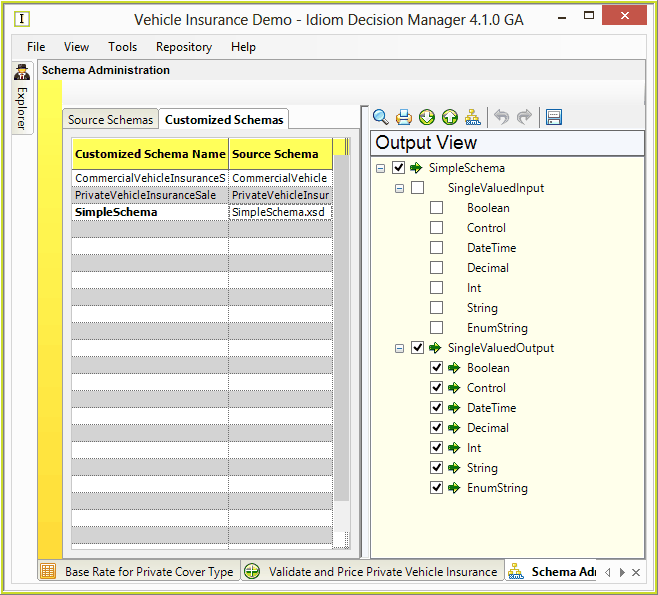
Figure 6-53: Output Nodes Customized Schema
