Loading a Dynamic Table Contents |
  
|
Loading a Dynamic Table Contents |
|
STEPS To load a dynamic Table contents:
1. |
Right-click anywhere in the 'Table Contents File' table of the Advanced Settings pane and select Load from File |
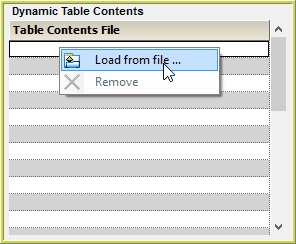
Figure 7-21(a): Loading a new dynamic table contents
2. |
Browse to the appropriate table and click Open |
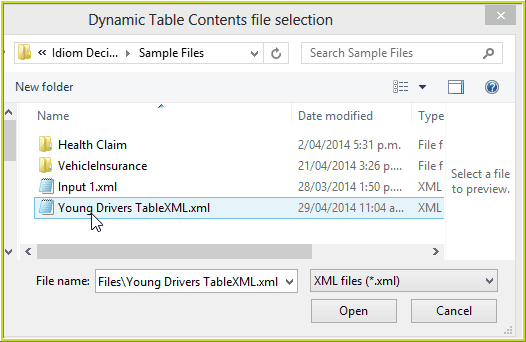
Figure 7-21(b): Loading a new dynamic table contents
The new table will now appear in the 'Table Contents File' list:
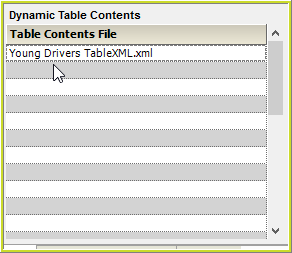
Figure 7-21(c): Loading a new dynamic table contents