Importing a Folder of Files |
  
|
Importing a Folder of Files |
|
You can test multiple documents by placing them in a single folder and importing that folder in to the IDIOM Test Executive. This is especially useful for decision models that are associated with more than one schema, and for testing a large folder of pre-prepared input files against a corresponding folder of expected outputs files.
STEPS to import a folder of test files:
1. |
Open the Test Executive for the Validate and Price Private Vehicle Insurance Decision Model and right-click on the Test Inputs Table and click on 'Select Input Folder' |
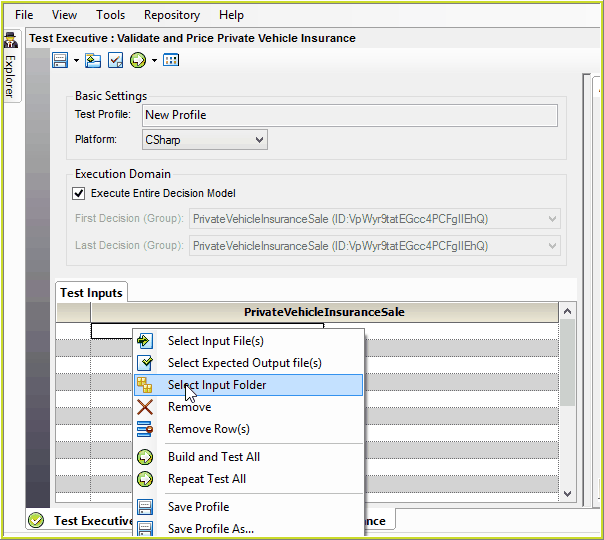
Figure 7-14(a): Importing a folder of Input Files.
2. |
Browse to the sample files provided by Idiom - \Idiom Software\IDIOM Decision Manager v4.5\Sample Files\VehicleInsurance. |
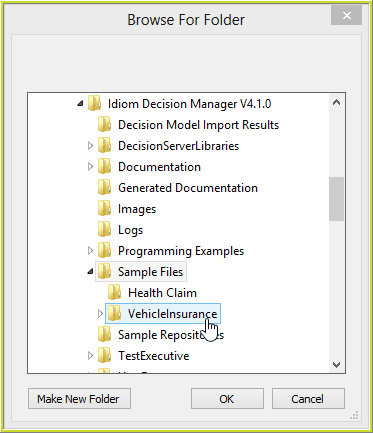
Figure 7-14(b): Browse to select the Vehicle Insurance Folder.
3. |
Click on the 'VehicleInsurance' Folder, and click OK. |
Two folders are displayed; the input folder path is shown on the left, and a newly created 'Output' folder path on the right.
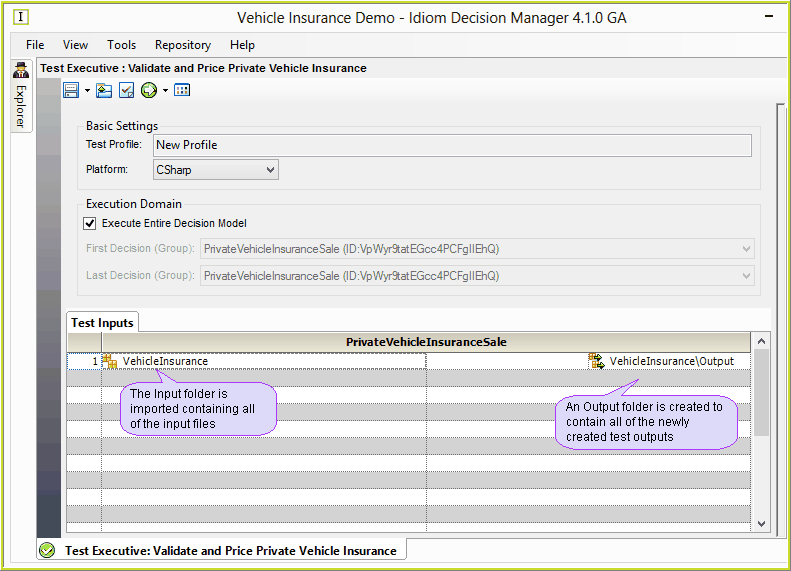
Figure 7-14(c): Testing a folder of test input files.
The default output folder is a sub-folder named `Output' (with a capital O) which is contained within the input folder 'VehicleInsurance'.
Note, this folder is different from the 'outputs' folder that contains the expected outputs provided when
To change the output folder path, simply right-click on the row, and click 'Select Output Folder' to browse and select a new folder.
STEPS to import a folder of expected output files:
Before executing your test, you can import a folder that contains the corresponding 'expected output' files for those you are about to test.
1. |
Right-click on the test row and click on 'Select Expected Output Folder'. |
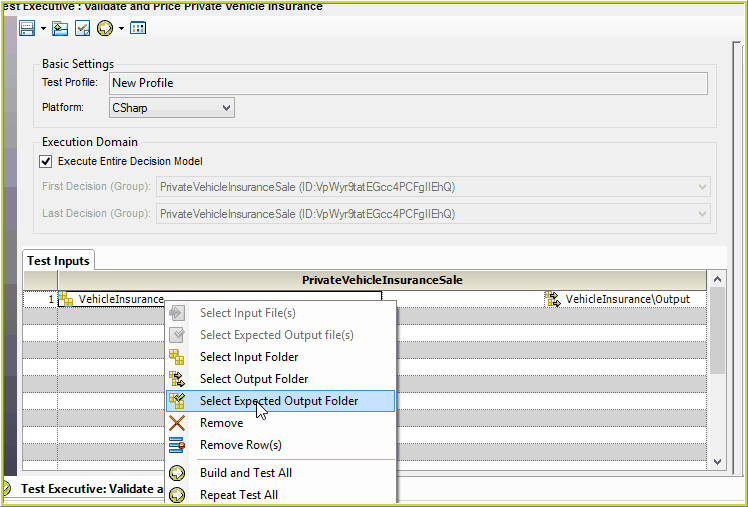
7-14(d): Select the Expected Output Folder.
2. |
Browse to the expected output sample files provided by Idiom - \Idiom Software\IDIOM Decision Manager v4.5\Sample Files\VehicleInsurance\outputs (with a lower case 'o') |
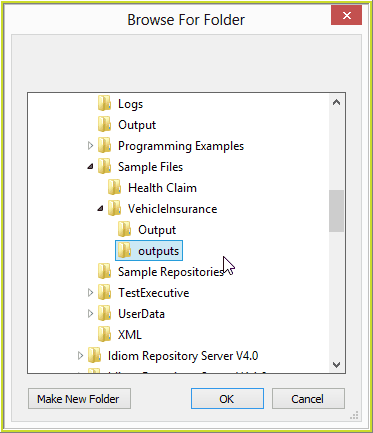
7-14(e): Browse to Expected Outputs Folder.
The outputs folder now displays, containing files of expected outputs, ready for testing and comparing against the new 'Output' files.
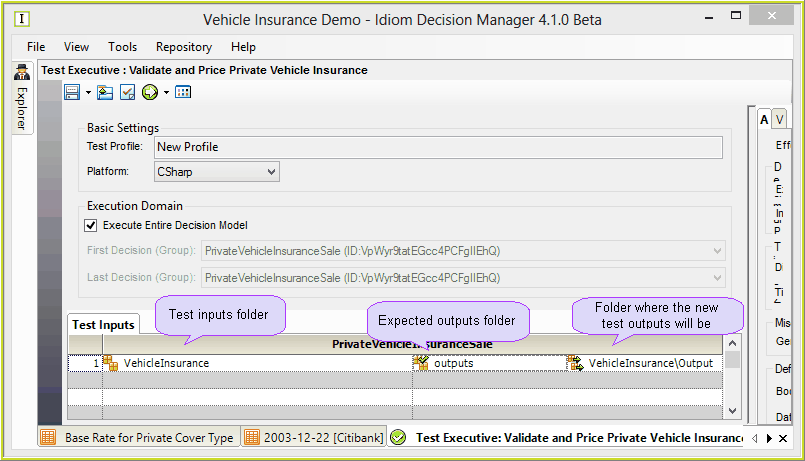
7-14(f): Expected Output folder in the Test Executive.
You are now ready to build and run your test.