Formula Reference |
  
|
Formula Reference |
|
Formula references are associated with the decision. You can then select and open the required formula version.
The role of the formula reference is to sequence any many-to-many connections between decisions and their formulas. It is essential that the IDIOM Decision Engine can always identify exactly one formula to execute at runtime. This is verified during the validation process, and a release cannot be done if there are overlapping formula references.
The same formula can be linked to a decision multiple times in the life of a decision, interleaved with other formula associations. For this reason the formula reference includes start and end dates, which are used as follows.
Assume that we create a new version of the Calculate Base Premium as per the screen shot below:
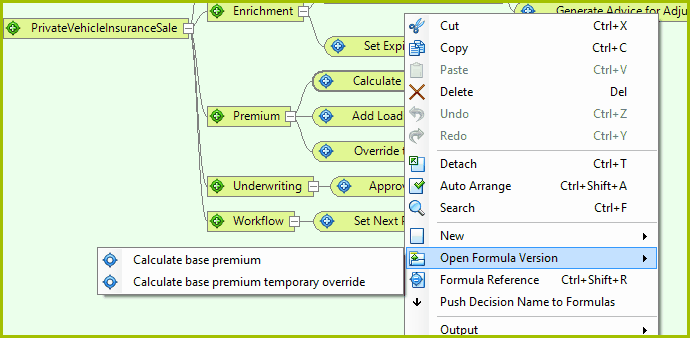
Figure 3-14(a): Create a new Formula Reference
If you select `Formula Reference' from the right-click decision menu, you will be presented with the Formula Reference dialog box, which shows all of the formulas associated with the decision/group. You can then select and open the required formula version.
The Calculate base premium and Calculate base premium temporary override are formulas that are both effective for the same effective dates. Each of these have a single Formula Reference that has defaulted to the effective dates of their parent formulas. The effective dates of these Formula References will need to be adjusted in order to pass validation and be released.
Now assume that we want to use the ‘temporary override’ version only for the first 7 days of May 2014, and also for the last 7 days of May 2014. We can do this by dragging the temporary override version onto the Calculate base premium decision one more time – this will generate a third Formula Reference.
Now we can change the effective dates to achieve the temporary override as follows:
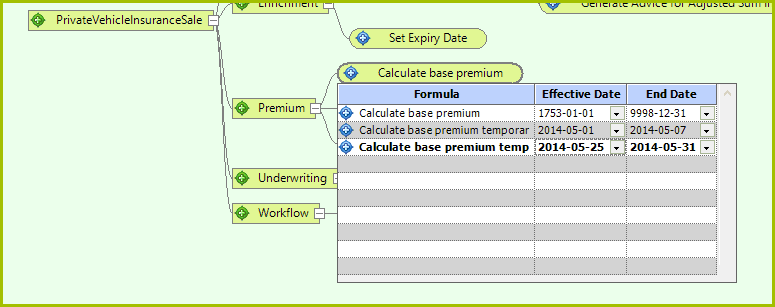
Figure 3-16(b): Formula Reference dialog box with 'Temporary formulas using 'Effective' and 'End' dates.
STEPS
1. |
Right-click on a decision and select `Formula Reference' > Formula Reference dialog box |
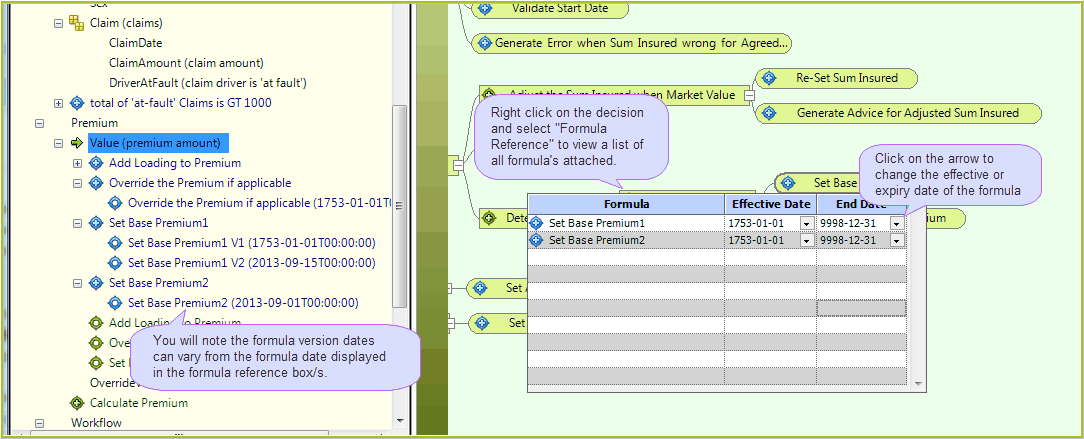
Figure 3-18: Select Formula Reference from the drop-down box
The Formula Reference dialog box displays all of the attached formulas together with their effective and end dates. You will note the formula effective date's display `1753-01-01'. This is the earliest date recognised by the .Net framework components used in IDIOM, and is the default when creating any new date in Idiom. If required, you can edit these by clicking on the arrow next to the dates and selecting a new date from the drop-down box that appears.
2. |
Right-click on the formula and click 'open' to view a list of associated formula versions |
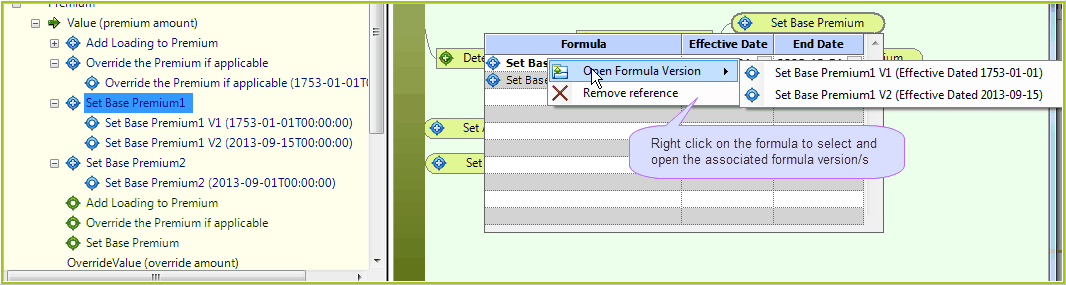
Figure 3-19: Opening the Formula Version from the Formula Reference Box