Deleting a Repository |
  
|
Deleting a Repository |
|
Only a System Administrator may delete a Repository from the IDIOM Decision Manager.
STEPS to delete an unopened repository
1.Log on to the IDIOM Decision Manager as a Systems Administrator.
2.From the Desktop, simply click File | Delete > and select the repository you wish to delete.
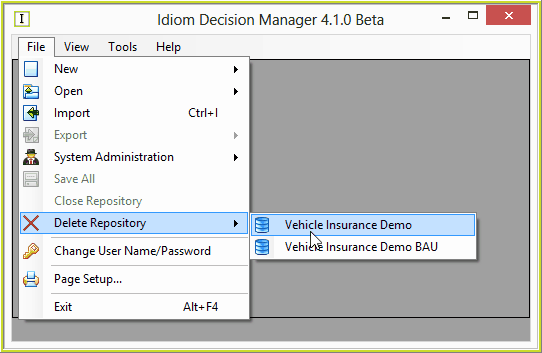
Figure 6-24(a): Delete an unopened Repository
STEPS to delete an open repository.
3.Log on to the IDIOM Decision Manager as a Systems Administrator.
4.Open the repository you want to delete
5.Click 'Repository | Delete'
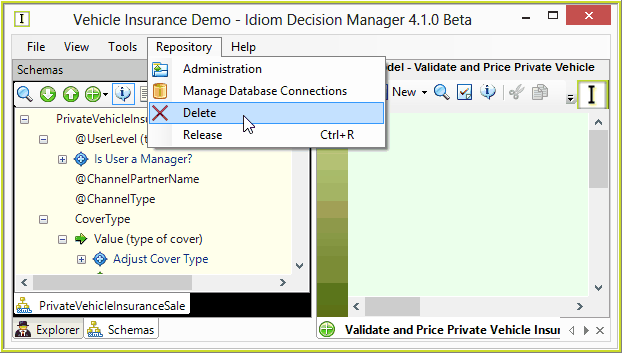
Figure 6-24(b): Delete an open Repository
In all instances when deleting, the following Repository Delete confirmation message is displayed
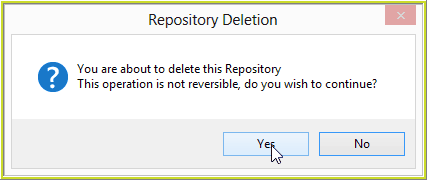
Figure 6-24(d) Repository Deletion Confirmation dialog box.
6.Click Yes
7.The Repository will be deleted.