Creating a New Repository |
  
|
Creating a New Repository |
|
The System Administrator is responsible for creating new repositories. The Workgroup Administrator then builds the basic repository elements - decision models and table contents - that the decision designers will use to build their formulas.
STEPS to create a new repository
1. |
Log in as the System Administrator |
2. |
Click on 'File' | 'New' > New Repository dialog box |
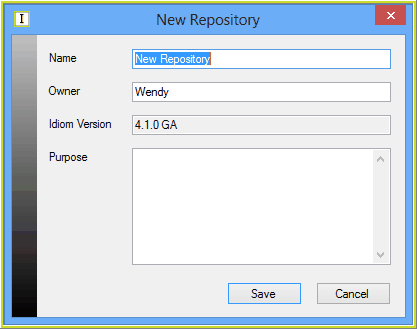
Figure 6-18: The New Repository dialog box
3. |
Enter the name of the new repository (e.g. Vehicle Insurance), the details of the owner (Acme Insurance Ltd.) and provide a description of the repository's purpose (Validation and Pricing of Private and Commercial Vehicle Insurance). |
4. |
Click on Save > IDIOM desktop |
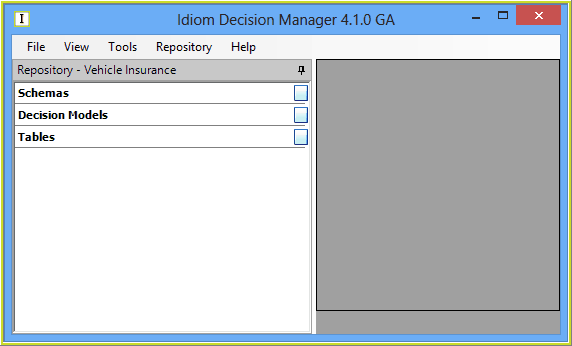
Figure 6-19: The shell of the new Vehicle Insurance repository
5. |
You can now create the workgroups that will define the users who will have access to this repository (see Workgroups). |
Tip |
It is also possible to import an existing IDIOM repository (see Importing a repository). |