Closing Panes |
  
|
Closing Panes |
|
Currently open panes can be closed by clicking on the close button at the lower right hand side of the schema or workspace pane.
Occasionally multiple panes are open under a single category. For example, in Figure 2-28 you can see that both the Private and Commercial customized Schema pane are open to the left of the Workspace.
To close the currently displayed schema, click on the close button at the lower right of the schema pane.
To close all open schema, click on the close button at the upper right of the schema pane.
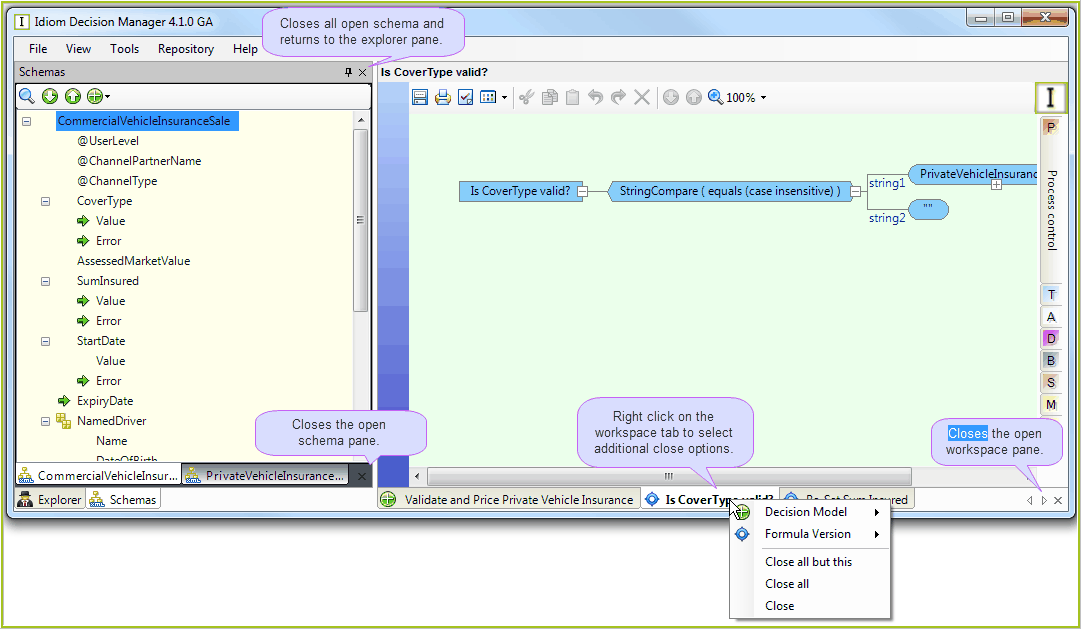
Figure 2-28: Closing workspace and schema panes