The Use of Colours and Icons |
  
|
The Use of Colours and Icons |
|
IDIOM uses different colours and icons to represent the different repository components. The colour themes are as follows:
Colour |
IDIOM Component |
Yellow |
Schemas |
Green |
Decision models, including decisions and decision groups |
Blue |
Formulas |
Orange |
Tables |
Silver |
Administration and miscellaneous |
Purple |
UDOs |
Table 2-4: IDIOM colours and components
Various icons are consistent with these colours e.g. the formula icon is blue. Some of these are shown below:
Component |
Icon |
Decision Group |
|
Decision |
|
Formula |
|
Formula Version |
|
UDO |
|
Tables |
|
Decision model |
|
Schema |
|
Output node |
|
Repeating node |
|
Repeating output node |
|
Table 2-5: Icons for the IDIOM components
Some of these icons are used in the customized Schema and Explorer panes to allow easy identification of formulas, decisions, tables etc.
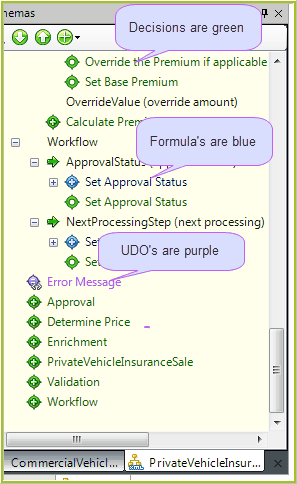
Figure 2-33: customized Schema pane showing decision and formula icons.


