Action types |
  
|
Action types |
|
The 'Action Type' function plays a subtle but important role in controlling what happens when your decision executes and, in fact, whether it executes at all.
There are five possible values for Action Type.
The structure of the schema surrounding the decision context node determines which of these values are available. The default action type for a new decision group is ' Create if Necessary', unless the decision group context node is a collection, in which case it is ‘Update’; and for a new decision the default action type is 'Create if Necessary'.
The values and their functions are detailed in Table 3-3.
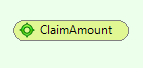
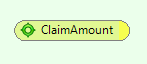
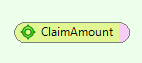
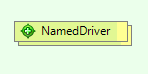
Action Type |
Function |
Decision (Group) tip Colour |
Update |
Updates the schema node value resulting from the decision's execution during a previous processing run. The decision will only execute if the node already exists in the XML document supplied as the decision request. |
|
CreateIfNecessary |
Will update the value in the decision request schema if the node already exists; otherwise, it will create the node. This is the default action for a new decision. |
|
AlwaysCreate |
Used with decisions whose context node is a child of a repeating node; it is not available for decision groups. Creates a new instance of the closest repeating parent node, then creates a node on its own context. It may create additional ancestor nodes to maintain the correct placement of the newly created context node. |
|
Create |
Used with decision groups whose context node is a repeating node. This action type will create a new node in the decision request document. If the parent node does not exist, all of the ancestors necessary to maintain the correct placement of the new node will be created. |
|
None |
The decision or decision group does not execute. If used on a decision group, no child decisions or decision groups will execute. |
|
Table 3-3: decision Action Types
We will explain the importance of the Create, AlwaysCreate and CreateIfNecessary Action Types using the Health Claim Processing model repository. Ask your System Administrator to import this repository and set you a user name and password (see The Case Study).
We will focus on two decision groups in the Health Claim decision model – Check for Warning Conditions and Check for Rejection Conditions.
STEPS
1. |
Click on the 'Warn if too many providers' decision in the Check for Warning Conditions decision group. |
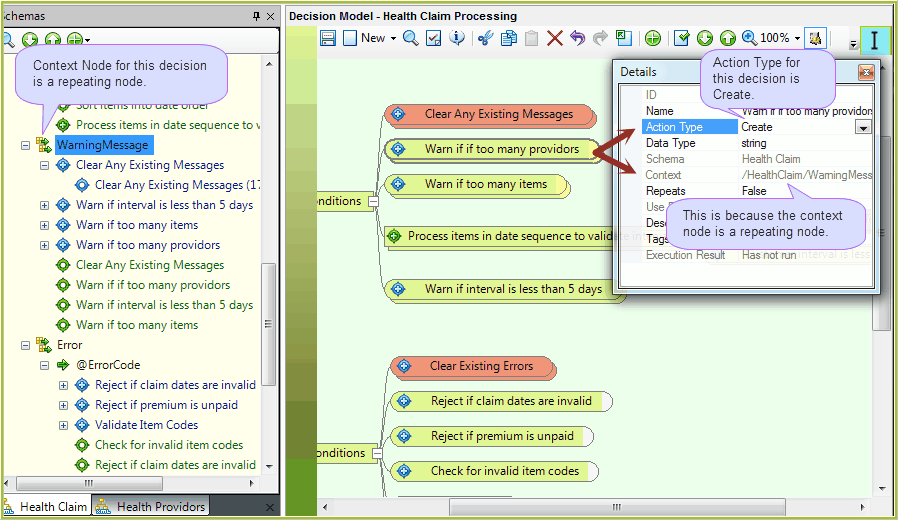
Figure 3-31(a): Action type details for a decision attached to a repeating node
Look at the Action Type in the Details pane. This decision has an Action Type of `Create'.
The 'Context: /HealthClaim/WarningMessage' tells you that the context node for this decision is the WarningMessage node in the HealthClaim schema. The Action Type for this decision can be set to Create because WarningMessage is a repeating node.
If you compare the sample Decision Request documents shown in Figure 3-32, you will see that the WarningMessage node does not exist in the Input Request, but it does exist in the Output Decision Request document after IDIOM has executed the ‘Warn if too many providers’ decision.
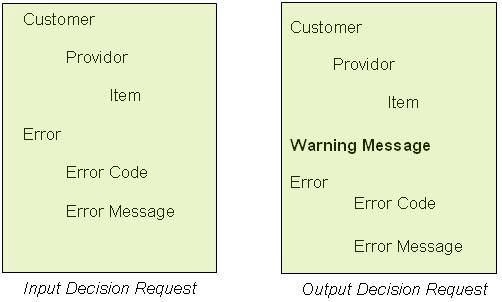
Figure 3-31(b): Sample Decision Request documents
2. |
Next, click on the 'Reject if premium is unpaid' decision in the Check for Rejection Conditions decision group. |
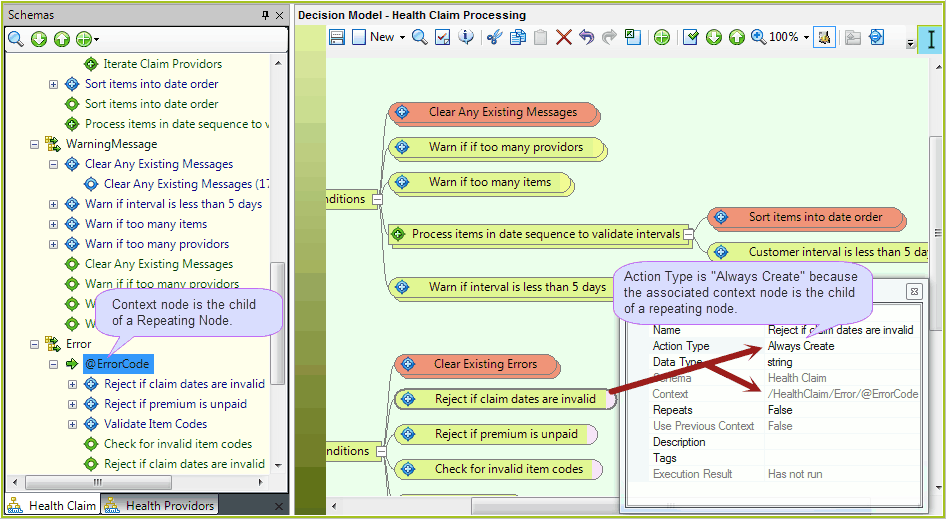
Figure 3-32(a) Action type details for a decision attached to a the child of a repeating node
The Details pane shows that the Action Type is AlwaysCreate and the Context node is /HealthClaim/Error/@ErrorCode.
The AlwaysCreate type can be used because the decision is linked to ErrorCode, which is a child of a repeating node.
The sample Decision Requests in Figure 3-32(b) show you that when a decision with the AlwaysCreate type is executed, IDIOM creates both the repeating parent node (in this case, Error) and its child (ErrorCode) in the Output Decision Request.
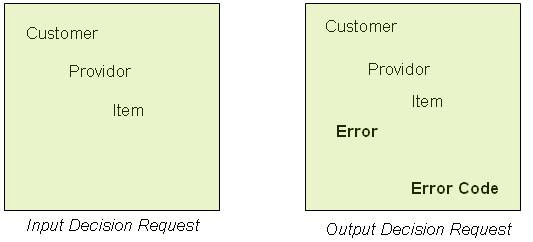
Figure 3-32(b): Sample Decision Request documents.
3. |
Now click on the 'Set Message' decision. |
The Details pane indicates that its Action Type is Create If Necessary and its context node is /HealthClaim/Error/@ErrorMessage.
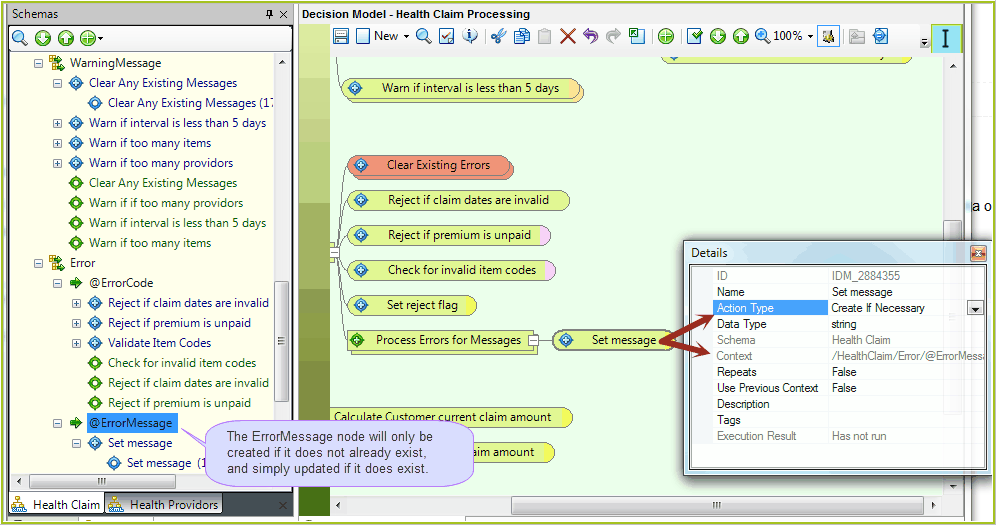
Figure 3-33(a) Action Type: Create if Necessary.
The Create If Necessary action means that the node displaying the message that notifies the user of an error will be created if it does not already exist in the schema or updated if it does exist. Note that no message will be displayed if an error has not occurred.
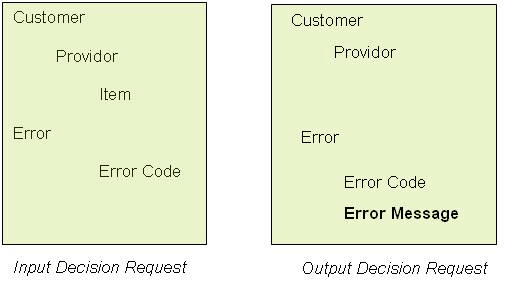
Figure 3-33(b): Sample Decision Request documents.
Tip |
You can also view and edit the Action Type by right-clicking on the decision/group and selecting Action Type. A quick way to view the decision/group Action Type is to hover your mouse cursor over a decision/group to display a tool tip that lists the Action Type. |