Using Decision Model (Default) Settings |
  
|
Using Decision Model (Default) Settings |
|
The 'Decision Model (Default)' settings define the global defaults for any Decision Model that has the ‘Use Decision Model Defaults’ option checked.
This option would be used when it is important to either have all decision models within a repository use a standard set of settings, or for all to start with a standard set and changes to be made on an exception basis to meet the specific needs of a particular decision model. For example, a particular repository may contain decision models that undertake a set of financial calculations over a range of financial products and therefore setting a standard numerical precision (number of decimal places) for calculations across all the decision models is important, but a particular decision model requires a different level of numerical precision as the size of numbers it works with may be significantly smaller. In this scenario the ‘Decision Model (Default)’ would be set to the standard number of decimal places, while an exception decision model would be set to use a different number of decimal places.
This option is automatically selected when you create a new Decision Model, so if the 'Use Repository Default’ option has been unchecked, then it will automatically use the generation settings specified in the ‘Decision Model (Default)’ generation panes, when undertaking a Production Release.
STEPS to use Decision Model (Default) settings:
Select the Tools > 'Edit Production Release Settings' menu option which is available when there is no repository open.
1. |
Click on the Repository drop-down box and select the Repository to wish to release. |
2. |
Ensure the 'Use Repository Defaults' option next to your Repository is not ticked. |
'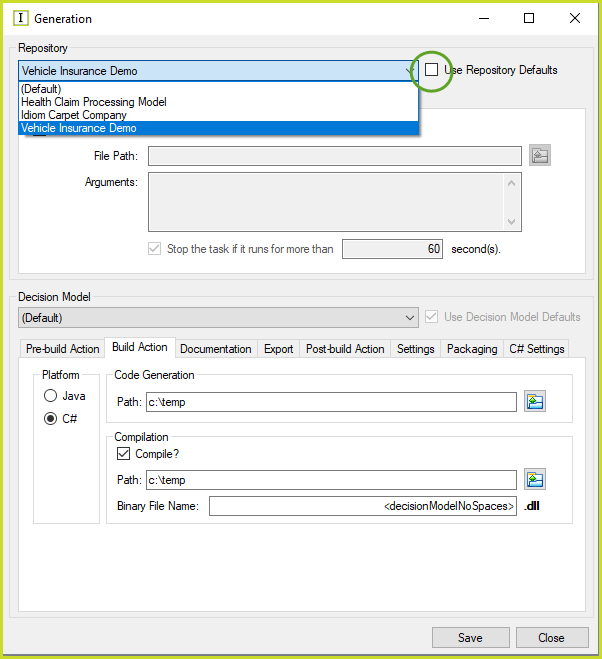
Figure 7-33(a) Removing the 'Use Repository Defaults' option
4 |
Click on the Decision Model drop-down and select '(Default)' |
3. |
Complete all of the Vehicle Insurance Demo 'Decision Model (Default)' and generation settings. (See Edit Server Generation Options) |
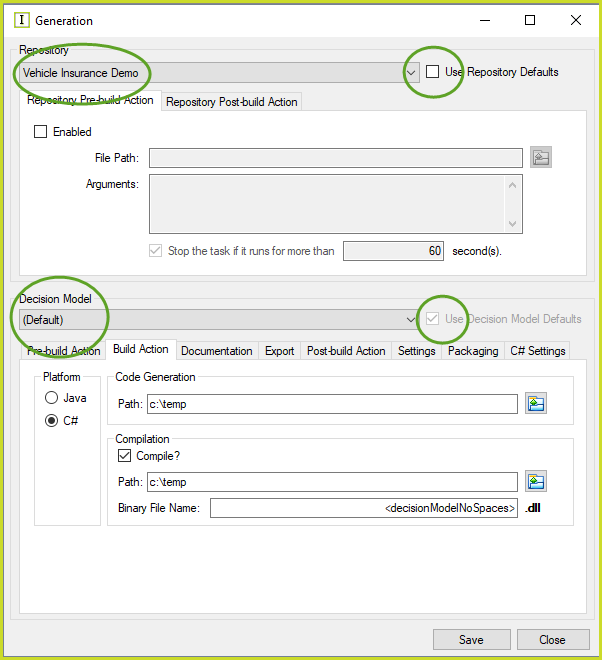
Figure 7-32(b) Setting the Decision Model (Default) settings.
3. |
Click Save. |
4. |
If you are unsure that all of the Decision Models that you are about to release have the 'Use Decision Model Defaults' Option selected, click on the Decision Model drop-down box to select each decision model, and ensure they all have the Use Decision Model Defaults box checked. |
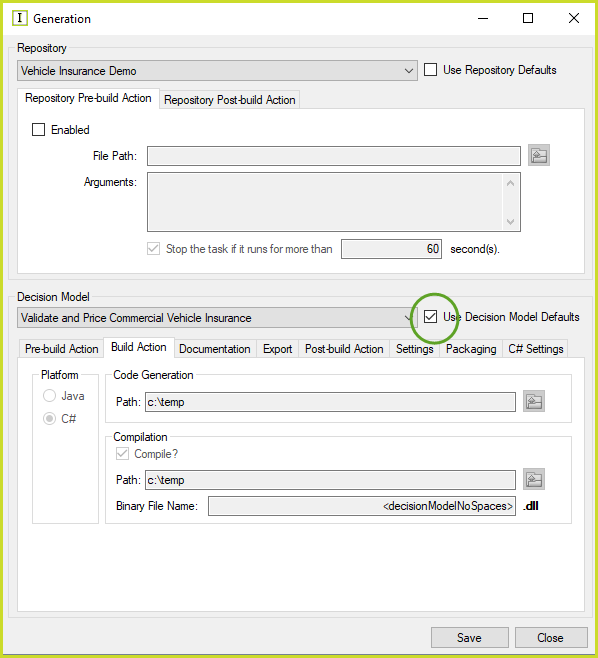
Figure 7-33(c): Check each Decision Model has the 'Use Decision Model Defaults' button ticked.
The 'ticked' Decision Models will now use the Decision Model (Default) settings configured specifically for the Vehicle Insurance Repository when a production release is performed.
Tip |
You can use a combination where you select some Decision Models to 'Use Decision Models Defaults', and deselect others to individually define their generation settings. This mix of settings should however only be used to support exceptions when there is a sound business reason that requires it. |