Production Release Settings |
  
|
Production Release Settings |
|
Before a Production Release can be performed, a Systems Administrator must first edit the server side Production Release Settings. The minimum requirement is to complete the settings of the Build Action tab.
Note: The Production Release Settings are different to the local release generation options specified for the decision models in their repository, see Edit local release generation options. The production releases do not use the local release generation options. All decision model settings and generation options that have been specified within the Decision Manager client for local releases are ignored when performing a Production Release.
STEPS to edit the 'Production Release Settings'
1. |
Login to the Decision Manager as a system administrator. The default Idiom Administrator uses is a System Administrator. Please see Updating a User to Administrator Role for instructions on how to setup System Administrators. |
2. |
Close the repository if one is open. |
3. |
Select Tools > Edit Production Release Settings. The Production Release Settings are stored in the ProductionReleaseSettings.xml file in the C:\Program Files\Idiom Software\Idiom Repository Server V44.5\UserData directory. |
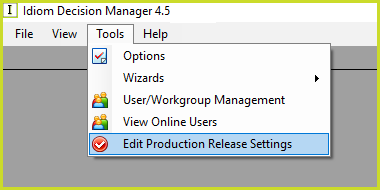
Figure 7-32(a): Edit Production Release Settings
The Production Release Generation Window opens. The settings of the Build Action tab have to be completed otherwise the production releases will fail.
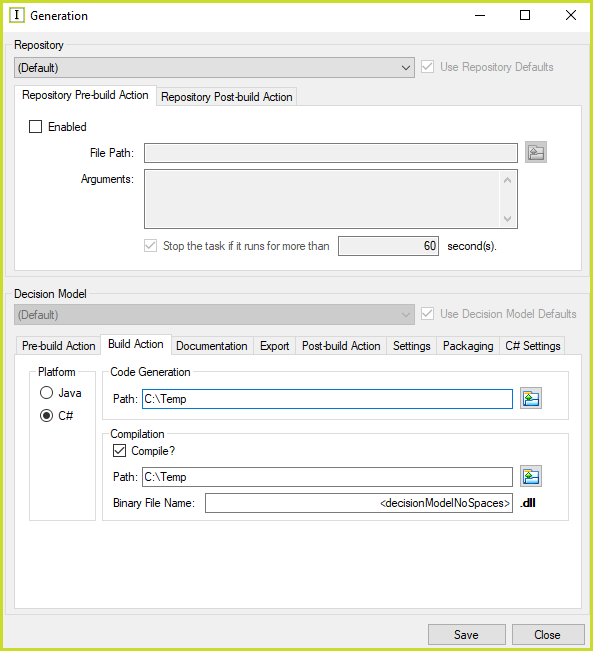
Figure 7-32(b): The Production Release Settings Generation dialog box
Use Repository and /or Decision Model Defaults
1. |
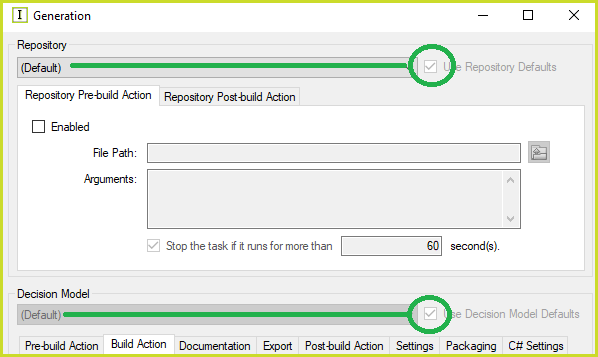
Specify the same settings for all decision models in all repositories (the Use Repository Defaults and Use Decision Model Defaults check boxes refer to the (Default) entries in the Repository and Decision Model lists):
Figure 7-32(c): User Repository Defaults and Use Decision Model Defaults |
2. |
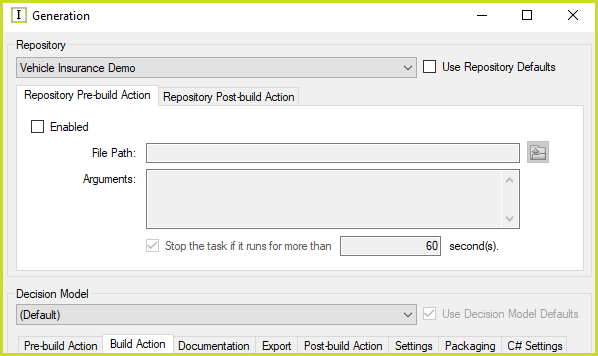
Specify the same settings for all decision models in a selected repository:
Figure 7-32(d): Use Decision Model Defaults |
3. |
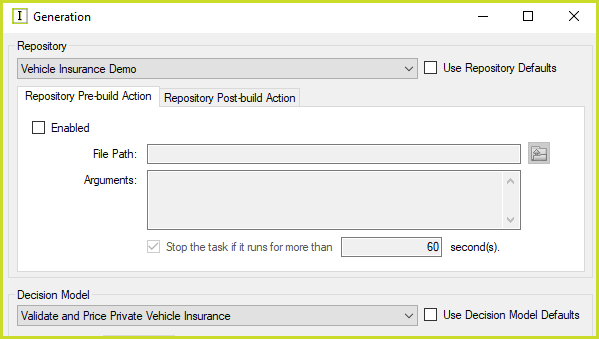
Specify settings for a selected decision model in a selected repository:
Figure 7-32(e): No Defaults |
Pre-build and Post-build Actions
The Repository Pre-build and Post-build actions are executed before and after the Decision Model(s) Pre-build and Post-build actions. As an example for the Vehicle Insurance Demo repository if both the Commercial and Private decision models are released:
1.Vehicle Insurance Demo Repository Pre-build Action;
2.Validate and Price Commercial Vehicle Insurance Model Pre-build Action;
3.Validate and Price Commercial Vehicle Insurance Model Post-build Action;
4.Validate and Price Private Vehicle Insurance Model Pre-build Action;
5.Validate and Price Private Vehicle Insurance Model Post-build Action;
6.Vehicle Insurance Demo Repository Post-build Action.