Resetting a User's Password |
  
|
Resetting a User's Password |
|
The System Administrator cannot see a user's password, but can reset it if the user forgets it. The user can change their default password and user name (see Changing your Password).
To reset a user's password
STEPS
1. |
Select Tools | User/Workgroup Management > User/Workgroup Management window |
2. |
Right-click on the on the user name in the Users section of the window |
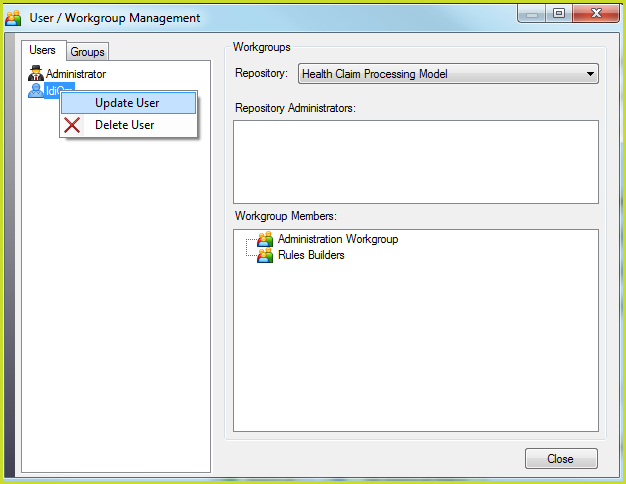
Figure 6-38 Update User Password
3. |
Select `Update User' > Update User dialog box |
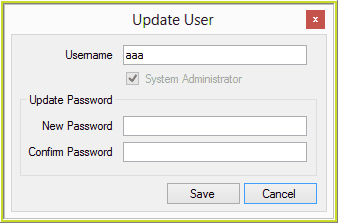
Figure 6-38(a): Resetting Password
4. |
Enter the new user password in the dialog box |
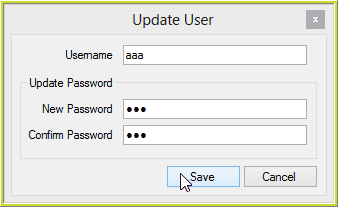
Figure 6-38(b):Reset Password dialog box
5. |
Click Save |
The user password will have been reset.