Updating a User to Administrator Role |
  
|
Updating a User to Administrator Role |
|
Once a new User has been created, the System Administrator may update that User to the role of System Administrator.
STEPS to update a user to the role of Administrator:
1. |
Select Tools | User/Workgroup Management > User/Workgroup Management window |
2. |
Right-click on the on the user name in the Users section of the window and Select `Update User' > Update User dialog box |
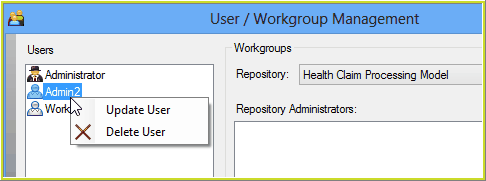
Figure 6-33(a): Update User to Administrator
3. |
Check the 'System Administrator' check-box and click Save |
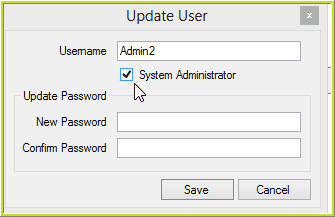
Figure 6-33(b): Update User to Administrator
The User is granted the role of Administrator, and now appears in the User dialog box with a black jacket with a top hat.
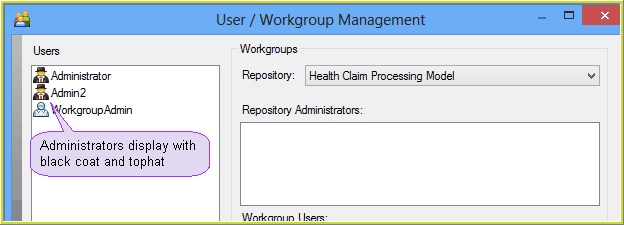
Figure 6-33(c):Administrators in the User Dialog box