Repository Comparison Report |
  
|
Repository Comparison Report |
|
Users can now access an overview of a repository/decision model comparison via the comparison dialog (button on the toolbar) - this simply shows the user a flat format high level overview of what has changed in the repository instead of requiring the user to drill down to each individual change in the difference tree view to find out what has changed.
To View the Repository Comparison Report:
1. |
Open IDIOM Decision Manager and repeat steps 2 to 7 in the section above to open the repository comparison. |
2. |
Click on the Show Comparison Overview icon in the Taskbar |
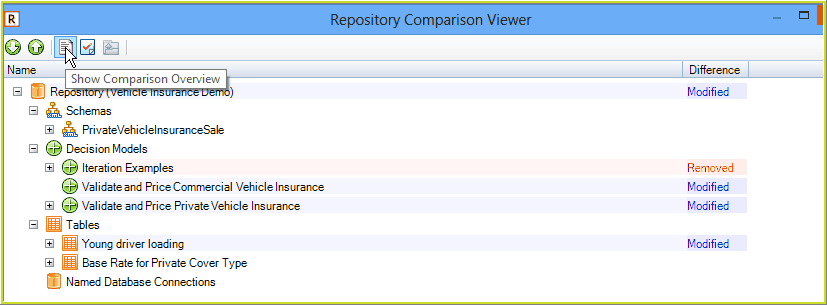
Figure 6-113(a) Comparison Overview Icon
The Repository Comparison Results Overview Report is displayed, with a high level overview of the differences between the two repositories:
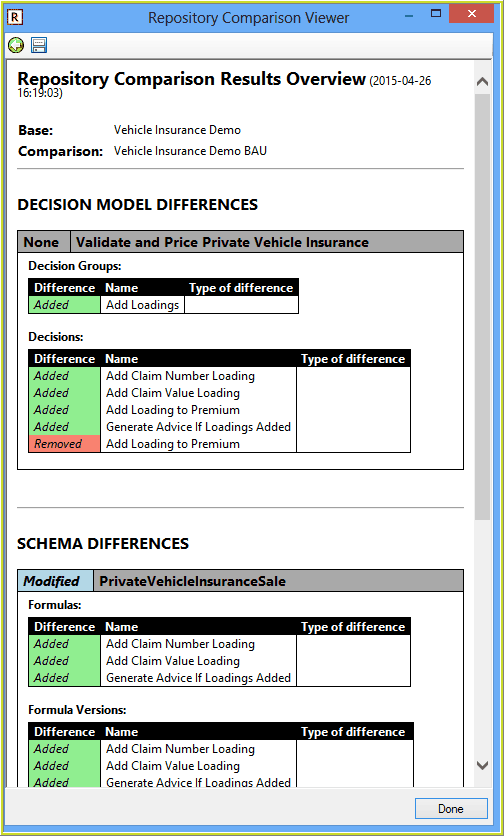
Figure 6-113(b) Comparison Overview Report
3. |
Click on the Save Icon (top left) to save a copy of the report, or the Back (green arrow) icon to return to the Comparison Viewer results page. |