Removing a User From a Workgroup |
  
|
Removing a User From a Workgroup |
|
To remove users from a workgroup:
STEPS
1. |
Select Tools | User/Workgroup Management > User/Workgroup Management window |
2. |
Right-click on the user name under the workgroup |
3. |
Select `Remove User from Workgroup'. |
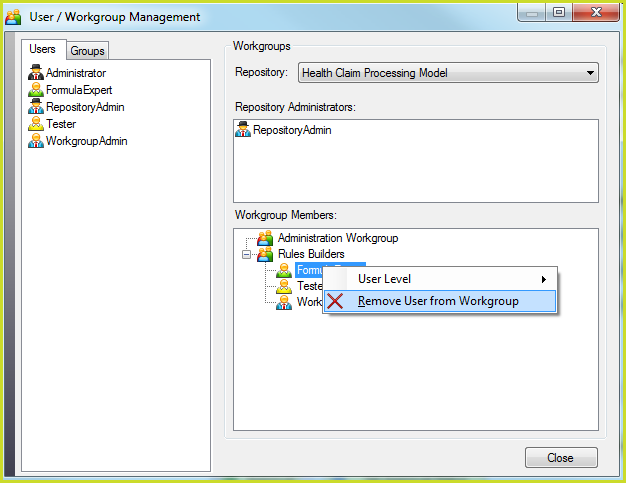
Figure 6-36: Removing a user from the current workgroup.
IDIOM then removes the user from the workgroup and the user name is no longer shown under that workgroup.