Deleting a User From the System |
  
|
Deleting a User From the System |
|
STEPS to delete a user from the system
1. |
Select Tools | User/Workgroup Management > User/Workgroup Management window |
2. |
Right-click on the user name in the Users section of the window |
3. |
Select `Delete User' |
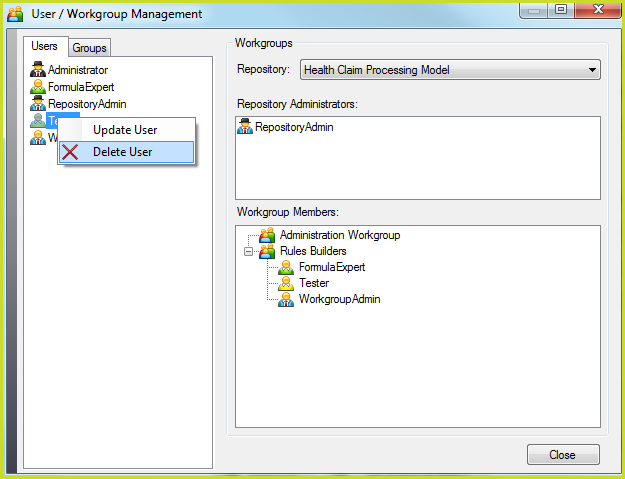
Figure 6-37: Deleting a User from the IDIOM repository
When you delete a user from the system, they are deleted from the repository, and hence from all of their workgroups within that repository.