Removing a Customized Schema the Explorer Schema View |
  
|
Removing a Customized Schema the Explorer Schema View |
|
You can remove or delete a customized schema from the Explorer pane. This will delete it from the Explorer Schema view, making it inaccessible to Decision Models. You will only be able to remove a schema from the Explorer Schema view if it is not currently assigned to a decision model.
STEPS to remove a customized schema from the Explorer Schema view
Ensure that the Schema is not used by any Decision Models using the Decision Model Properties. If it is, you will need to delete the assignment to each the Decision Model first.
1. |
Right-click on the desired schema in the Explorer pane and select `Delete'. |
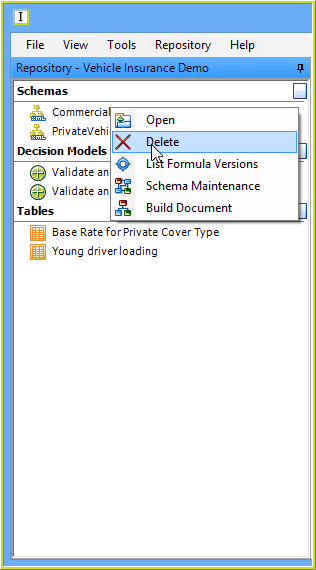
Figure 6-55 Remove schema from the Repository
IDIOM will ask you to confirm that you wish to delete the schema from the repository.