Formula Properties |
  
|
Formula Properties |
|
The Formula Properties window can be accessed by right-clicking on the formula (not the formula version) in the schema, and selecting open.
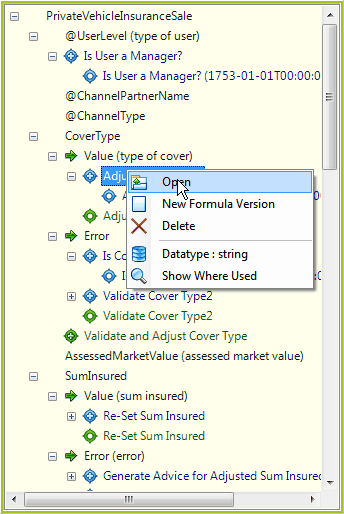
Figure 4-7a Open formula properties.
The Formula Properties window displays all of the relevant details about the formula, such as the Formula Name, Datatype, and associated formula versions.
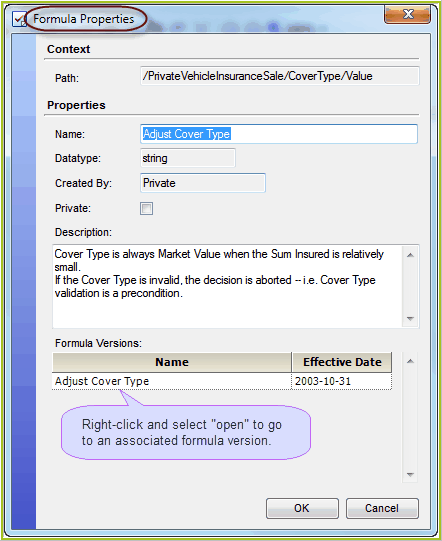
Figure 4-7(b) Formula Properties dialog box.
Most of these fields are read-only. However, you can use this pane to:
•change the formula name |
•change/add a Description of the formula |
This window is also useful for determining which workgroup owns a formula and accessing the associated formula versions.
Tip |
To access a formula version from the formula properties dialog box, right-click on the formula version and click 'Open'. |