Formula Version Properties Window |
  
|
Formula Version Properties Window |
|
The Formula Version Properties window can be accessed by clicking on the Formula Properties button  in the Toolbar.
The Formula Version Properties window displays all of the relevant details about the formula, such as the Formula Name, Datatype, and Effective and Release dates. Most of these fields are read-only. However, you can use this pane to:
•change the Name |
•change the Effective date |
•change/add a Description of the formula |
This window indicates which workgroup owns a formula and whether a formula is complete or not.
Figure 4-8 shows the Formula Version Properties window for the Validate Cover Type formula:
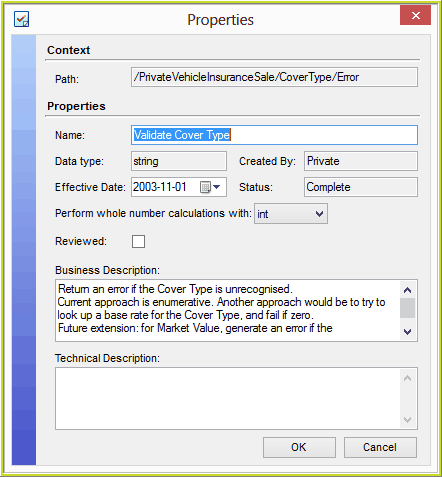
Figure 4-8: The Formula Version Properties window for the Validate Cover Type formula.
Tip |
To access the Formula Version Properties window from the formula palette, right-click on the formula root box (this is the first box in the formula palette that has the formula name in it) and select `Properties'. |