E. Test The Decision Model |
  
|
E. Test The Decision Model |
|
STEPS
Now that you have created all the decision groups, decisions and formulas for the Invoicing One decision model, you need to test the decision model to ensure that they are all operating correctly.
1. |
Open the Invoicing One decision model either by clicking on the appropriate tab if you have it open or by double clicking on its name in the Explorer pane |
2. |
Click on the Test Input button > Document List pane |
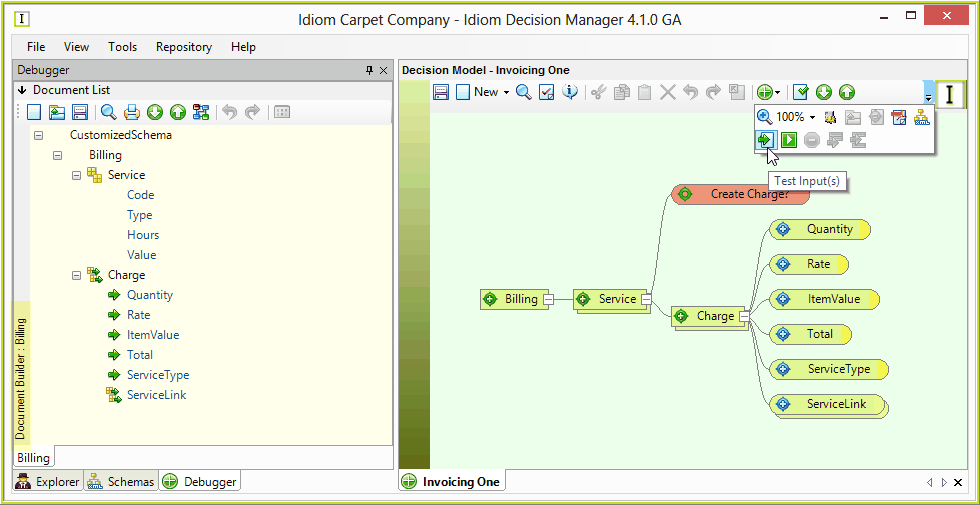
Figure 4-61: The Document List pane and Invoicing One decision model
3. |
Click on the Open Existing Document icon and select the 'Input 1' xml file, which will have been supplied for you (..\Program files\Idiom Software\IDIOM Decision Manager v4.5\Sample files.) |
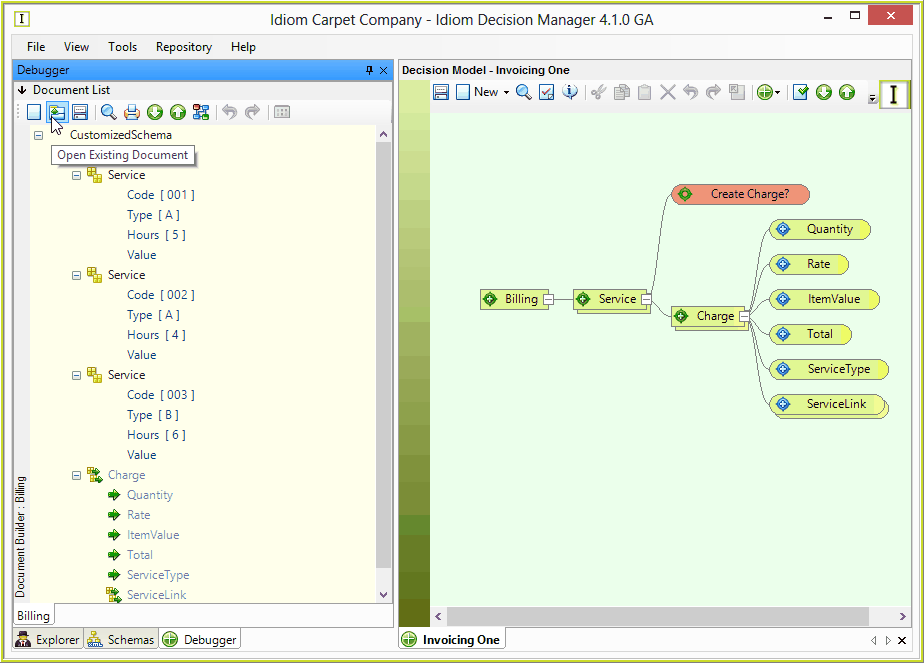
Figure 4-61(b): The Document List pane populated with the Input 1 file values
Note that once you have opened the 'Input 1' file, the 'Service' values are filled in but that there are no values for the 'Charge' nodes. These will be filled in by IDIOM applying the formulas you have specified above.
4. |
Click on the Run button |
5. |
The test results will appear in the Document List pane. |
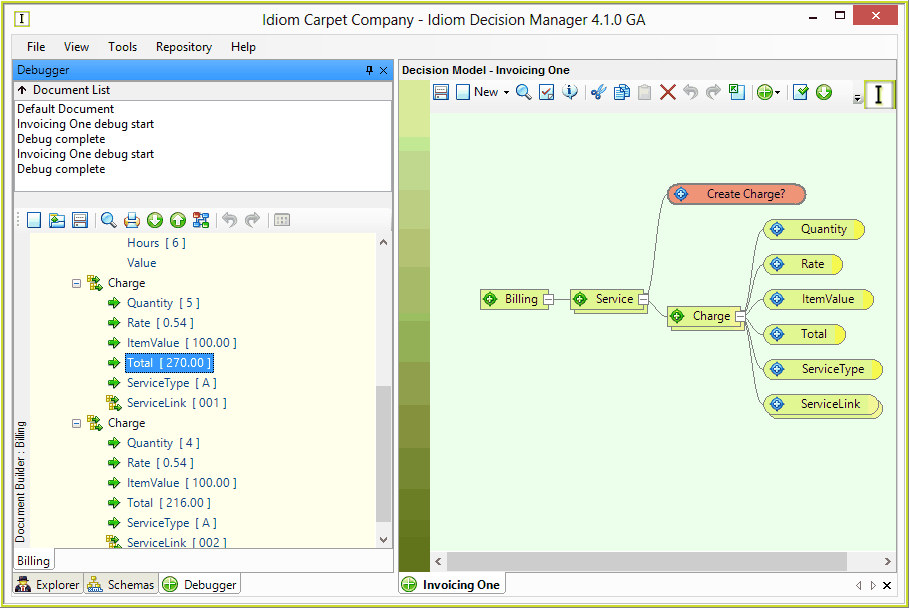
Figure 4-61(c): Test results in the Document List pane
Note the values for each of the nodes e.g. under the Charge node you can see the results of the processing of the values from the first Service record as specified by the Total formula:
(Quantity) 5 x (Rate) 0.54 x (ItemValue) 100 = (Total) 270
 in the Invoicing One decision model