Deleting a Source Schema |
  
|
Deleting a Source Schema |
|
In general, you should not need to delete a source schema unless you have imported it inadvertently or it (and other customized schemas based on it) is no longer of any use. (see Importing a Source Schema).
STEPS to delete a source schema:
1. |
Click on 'Tools' | 'Schema Administration' > Schema Administration window. |
2. |
Click on the Source Schemas tab > Source Schemas table |
3. |
Right-click on the desired source schema and select `Delete'. |
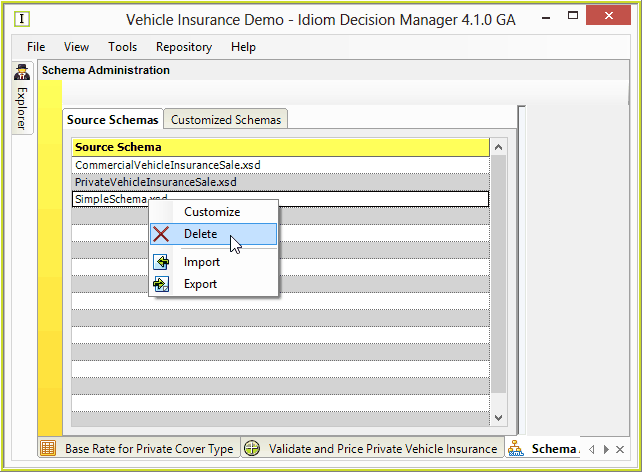
Figure 6-46: Source Schemas table in the Schema Administration window.
IDIOM will confirm that you wish to delete the schema.
NOTE: You may not delete a Source Schema that is the basis for a Customized Schema.