Deleting a Formula |
  
|
Deleting a Formula |
|
To delete a formula:
STEPS to delete a formula
1. |
Right-click on the name of the formula in the customized Schema pane (e.g. Adjust Cover Type) and select `Delete' > Confirmation dialog box. |
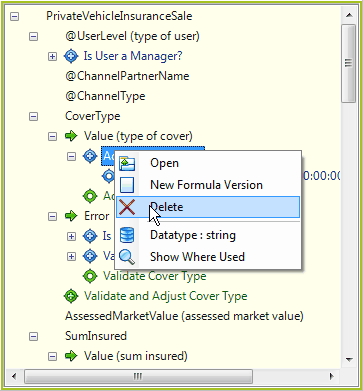
Figure 2-46: Deleting a formula
2. |
Click on Yes. |
Your formula will be deleted from the repository and will no longer appear in the customized Schema pane.