Decision List |
  
|
Decision List |
|
To see a list of decisions/decision groups associated with a decision model and their actions:
STEPS
1. |
Right-click on a decision model name in the Explorer pane and select `List decisions/decision groups' > decision list pane. |
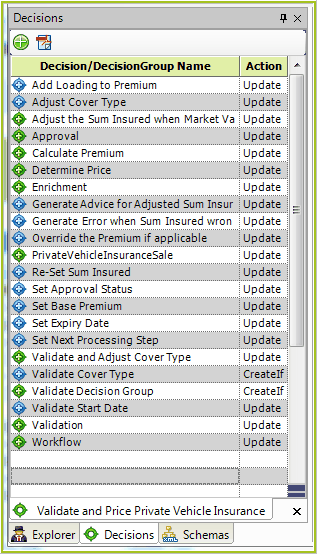
Figure 3-9(a): Decision list pane
2. |
You can open the Documentation workspace and/or decision model palette from the decision list pane by clicking on the Document decision model |
3. |
It is also possible to right-click on a decision or an associated formula. If you right-click on a decision/group you will see the following dialog box: |
.png)
Figure 3-9(b): decision list pane decision context menu
4. |
Simply select one of the options to open the decision/group in the decision model, the Where Used list or the PDF Documentation screen, respectively. If you right-click on a formula, you will see the following context menu: |
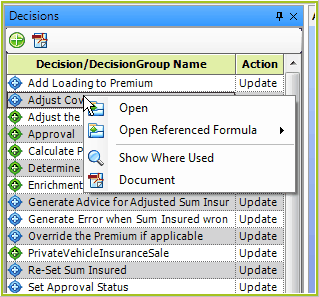
Figure 3-9(c): decision list pane formula context menu
5. |
Simply select one of the options to open the decision/decision group in the decision model palette, the referenced formula in the formula palette, Where Used list, or the PDF Documentation screen, respectively. |
6. |
Finally, you can sort the decisions/groups and formulas by Name, Icon or by Action by clicking on the appropriate heading and selecting the appropriate function: |
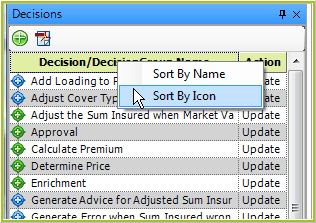
Figure 3-9(d): decision list pane sort menus
 and Open decision model
 buttons, respectively.