Uninstalling IDIOM |
  
|
Uninstalling IDIOM |
|
IDIOM can be uninstalled using standard Microsoft Add/Remove Programs functionality.
STEPS
1. |
Open the Control Panel from your Windows Start menu |
2. |
Click on `Add or Remove Programs' > Add/Remove Programs dialog box |
3. |
Select IDIOM Decision Manager and IDIOM Repository Server |
4. |
Click on Change/Remove |
The removal of the decision manager will prompt this message:
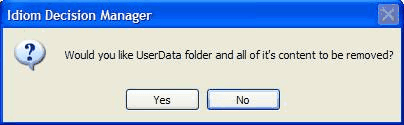
Figure 6-17: IDIOM Uninstall dialog box
5. |
Only click on 'yes' if you wish to remove all trace of IDIOM from your server. |