Copying a decision model |
  
|
Copying a decision model |
|
Decision models can be copied from the main explorer. Copying a decision model will also copy all of its decisions and decision groups, along with their formula references. Any referenced formulas, UDOs, or tables are not copied. Note that if any formulas or UDOs use the ExecuteDecision operator, that formula will still point at the decision from the original decision model. Also, the copied decision model's package name will still be the same as the original decision model's package name, so keep this in mind before performing a release.
STEPS to copy a decision model:
1. |
Right-click on the decision model in the Explorer pane and select 'Create copy'. |
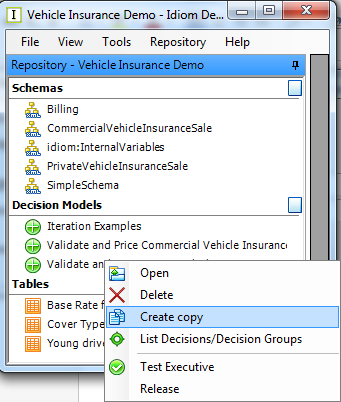
Figure 6-68(a): Create copy menu option
Click 'Yes' for the Create a copy of Decision Model ...? prompt. The decision manager will create a new Decision Model by adding '(Copy)' to the name of the original model.
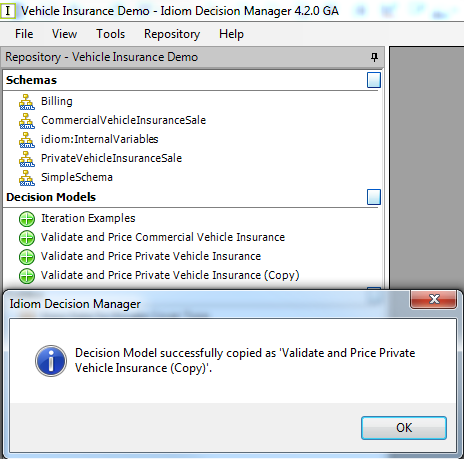
Figure 6-68(b): Decision model copied.
2. |
Copying a decision model will copy all of its decisions and decision groups, along with their formula references. Any referenced formulas, UDOs, or tables are not copied. Note that if any formulas or UDOs use the ExecuteDecision operator, that formula will still point at the decision from the original decision model. Also, the copied decision model's package name will still be the same as the original decision model's package name, so keep this in mind before performing a release. |