Changing Context With Node List Operators |
  
|
Changing Context With Node List Operators |
|
As explained in Runtime Formula Processing, only reachable nodes can be used to satisfy arguments for operators in a formula. However, it is possible to shift the context so that additional nodes become reachable from different areas of the formula. One way this is done is through the use of Node 'list' operators – these are the operators that appear when you drag a multi-valued (repeating) node onto the formula palette.
These include all of the operators that are not greyed out in Figure 4-31:
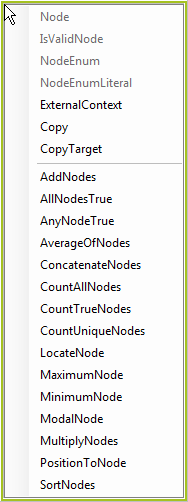
Figure 4-31: Node list operators
Whenever a Node list operator is used, the context moves to the repeating node that is associated with that Node list operator. The Node list operator will then iterate over all instances of the repeating node and each instance will become the context node while it is in focus. See How to Use Node List Operators for more information.
NOTE: A repeating node is identified in the schema by the  icon.