Aliases |
  
|
Aliases |
|
Aliases are used to improve the readability of the formula palette and the Logical English view of the formula.
By removing long, technical-looking descriptions of the navigation path from formulas, you can make verification easier for non-technical business experts.
In this topic, we will explain how to create an alias to replace the navigation path name for Sum Insured Value in the Adjust Cover Type formula.
First, we will show you what the formula looks like without an alias added to the Sum Insured Value node in the customized Schema pane:
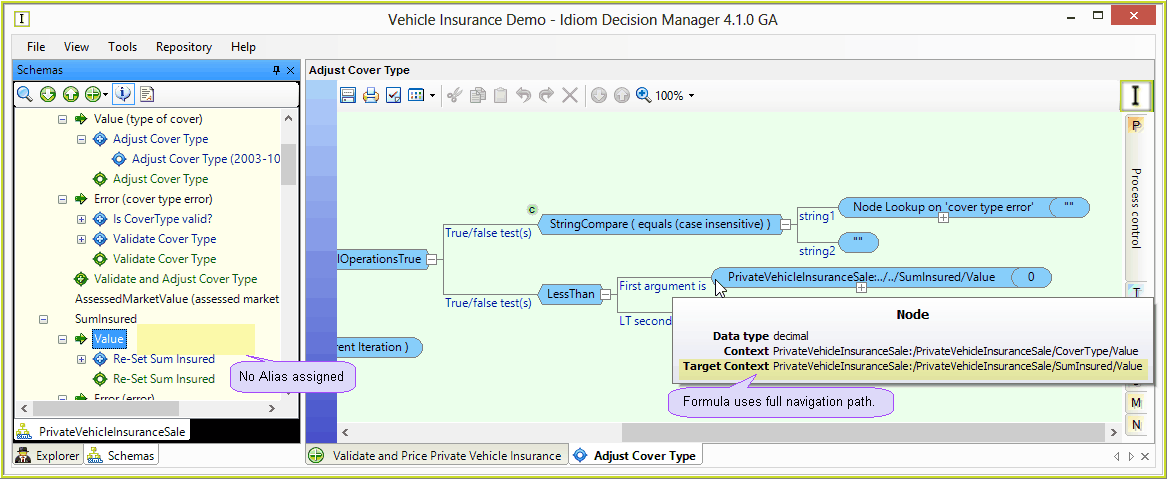
Figure 4-21: No alias next to the Sum Insured Value node.
Now we will describe how to create an alias to replace the navigation path name for this formula.
STEPS
1. |
Open the PrivateVehicleInsuranceSale schema. |
2. |
Right-click on the Sum Insured Value node and select `Edit Alias' |
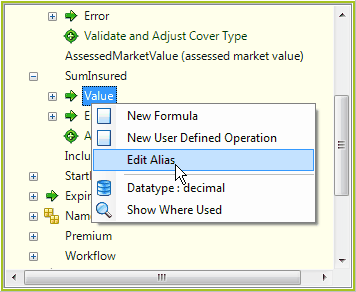
Figure 4-22: Creating a new Alias.
3. |
Type `Sum Insured' in the text field that appears next to the Sum Insured Value node (if text is already present simply delete it and replace it with the new text). |
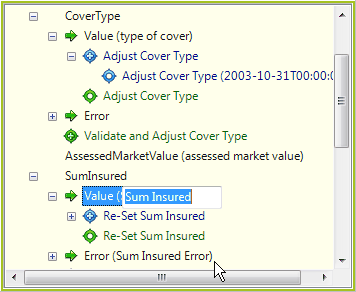
Figure 4-23: Entering the Alias name.
4. |
Click anywhere outside of the text field or press the Enter key on your keyboard. The alias will appear next to the Sum Insured Value node in the customized Schema pane |
5. |
Click File > Save All |
6. |
Open the Adjust Cover Type formula - you will see that the alias `Sum Insured' has replaced the navigation path name: |
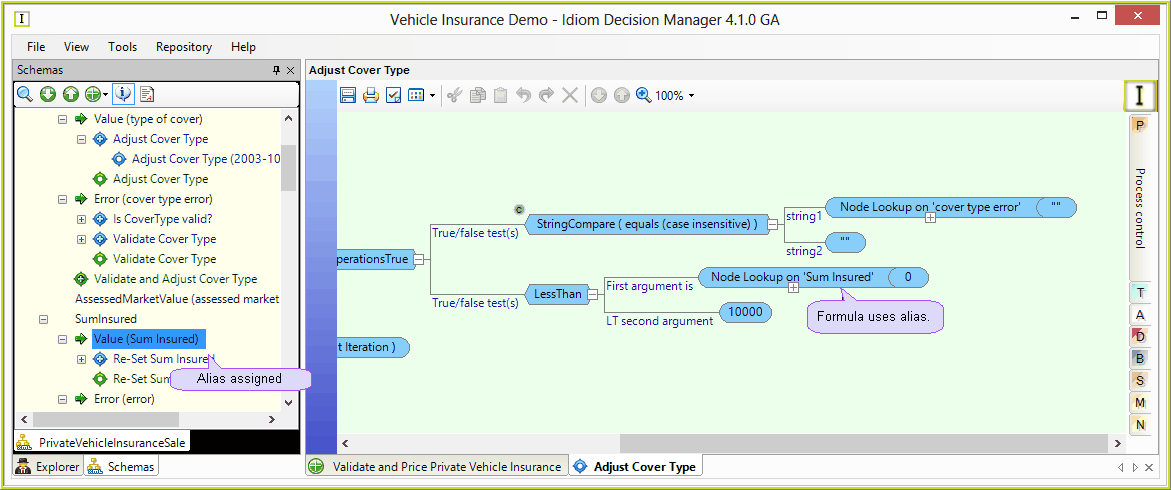
Figure 4-24: The alias appears in the formula box.
The alias also appears in the Logical English view of the formula:
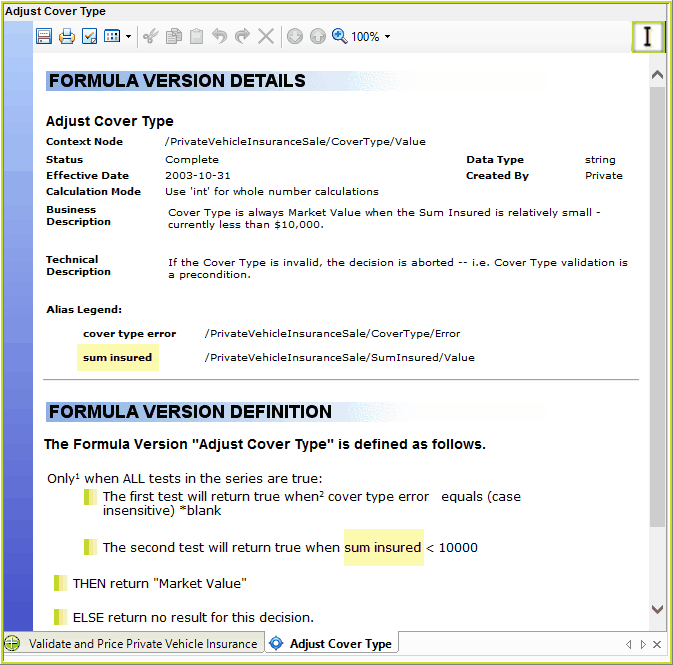
Figure 4-25: The Alias in the Logical English view of the formula.
Tips |
You can rename or delete an alias by following the same steps set out above. To rename an alias, simply edit the existing text after opening the text field. To delete an alias, delete the existing text and close the text field without entering any new text. Try to ensure that you provide some context when creating an alias e.g. using `policy start date' instead of simply `start date' makes it clear to a person viewing a generated document that this particular formula refers to the start date of a policy. Collections should also take the plural case e.g. a collection of claims should have a plural alias - `claims'. |