Adding Data to the Schema |
  
|
Adding Data to the Schema |
|
To add data from the Input Data Table to the schema, you have to link each column header of the Import Data Table with a node on the schema. We will link the data from the claims.csv file you imported earlier (see Importing data) to the nodes below the Claim repeating node e.g. ClaimDate, ClaimAmount and DriverAtFault.
To link Import Data Table columns to the schema:
STEPS
1. |
In the Import Data Table, click on a column header and drag it over to the appropriate node in the schema. The name of the column will now change to match that of the node. For the claims.csv file, the first column should be linked to ClaimDate, the second to ClaimAmount, and the third to DriverAtFault. |
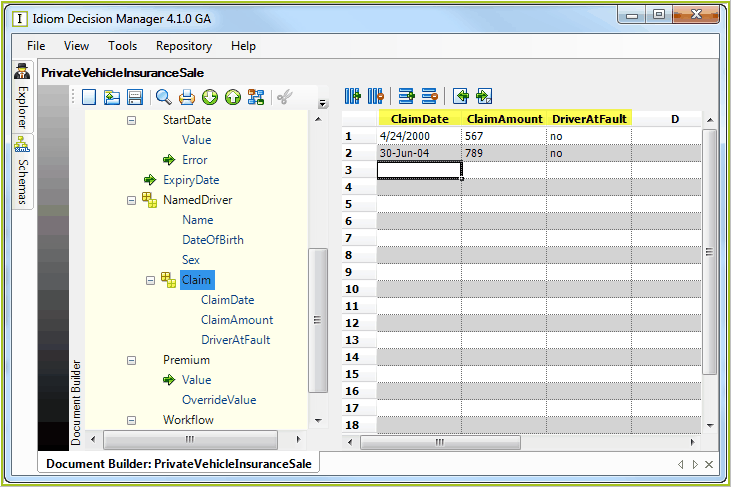
Figure 3-52: Linking Import Data Table data to the schema
To detach a column from a node, right-click on the column head and select `Detach Node'
To see which node a column is attached to, right-click on the column header and select `Focus on Attached Node' > a purple line links the column to the appropriate node in the schema.
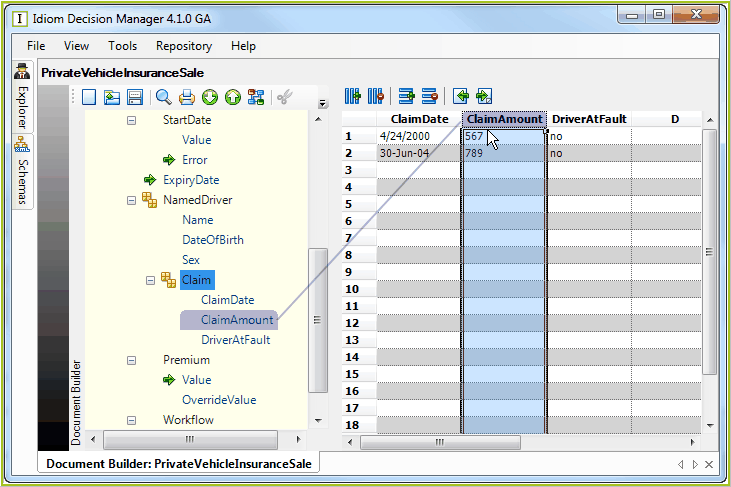
Figure 3-53: Viewing links between Import Data Table columns and the schema
NOTE: There is no datatype validation in the Import Data Table.