Using a UDO |
  
|
Using a UDO |
|
This topic explains how to use UDO's. We will continue with the example of the Error Message UDO.
STEPS
1. |
Open a formula that will use your UDO e.g. Validate Cover Type. This formula already executes the Error Message UDO (look at the first `when false' box where it executes the Error Message UDO.) |
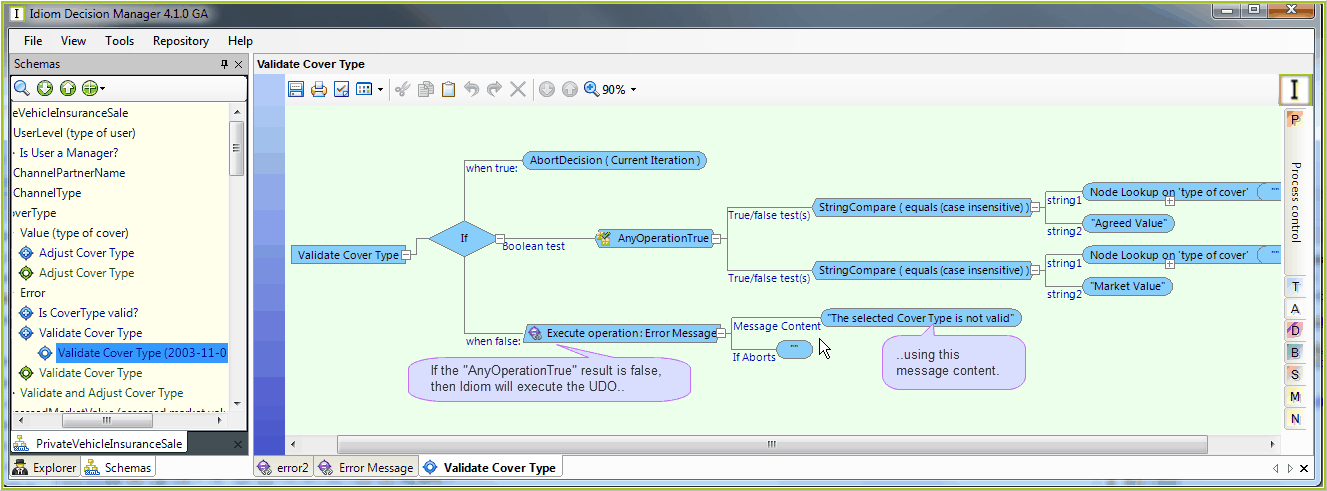
Figure 4-68: Validate Cover Type formula extract
2. |
Right-click on the first `when false' results box (Execute operation: Error Message') and select Cut. |
3. |
Drag the 'error2' UDO from the customized Schema pane onto the formula palette |
4. |
Enter the parameter content. Here, type in the message contents: 'The selected cover type is not valid' |
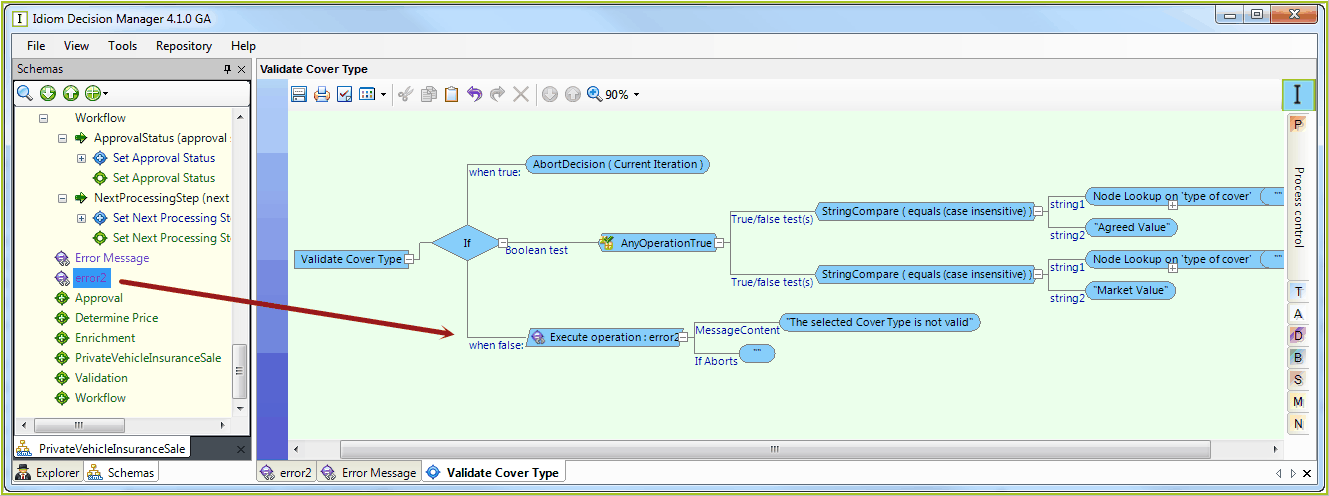
Figure 4-69: Entering the parameter contents
Tip |
The datatype required by the formula has to match that of the UDO for you to be able to use the UDO. When the repository is validated, IDIOM will check to see if all of the relative paths defined in the UDO are reachable from the context of each formula that references it. |