Transferring Decisions Between groups |
  
|
Transferring Decisions Between groups |
|
Decisions and decision groups can be moved around the decision model by clicking and dragging.
They can also be detached from their existing positions and reattached elsewhere.
If decisions have been attached to the wrong decision group, or if they are no longer valid components of their existing group, you can move them to a new decision group.
STEPS
1. |
Hold down the Ctrl key and left-click on the decision you wish to move. |
2. |
Drag the decision from the old decision group towards the new decision group. |
The grey line connecting the decision to the old decision group is joined by a bright green dotted line that links the decision to the new decision group.
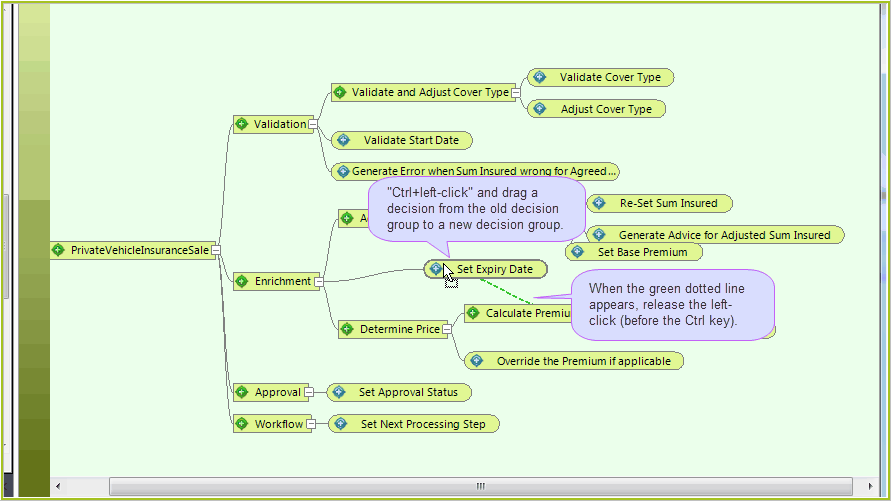
Figure 3-26: Transferring decisions between groups.
3. |
When the green line has jumped to the appropriate decision group, release the left click button. (before releasing the Ctrl Key) |
The lines will disappear and the decision will now be attached to the new group.