Running Validation from the Release Pane |
  
|
Running Validation from the Release Pane |
|
It is possible to run the validation process and validate selected Decision Models or an entire repository at any time in the Repository Release pane.
STEPS to Validate a specified decision model.
1. |
Click on Repository | Release > Release Pane |
2. |
Click on the Validate Selected Decision Models button. (See Figure 7-24(a) below) |
IDIOM will run the validation process, and open the Validation pane on the right hand side of the workspace. Critical error messages are red, (these can be considered fatal and will prevent IDIOM from compiling at runtime), Warning error messages are orange, and Information Only error messages are blue (these are not fatal and will not prevent compiling at runtime).
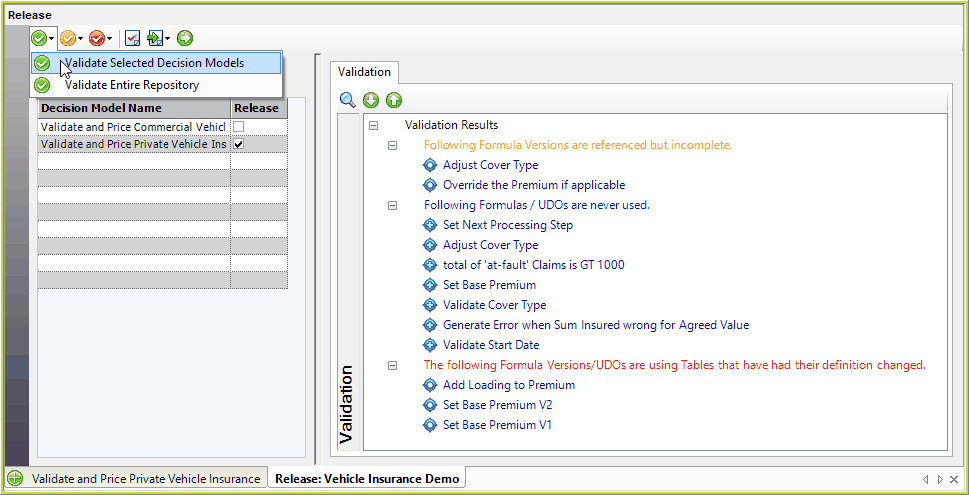
Figure 7-24(a): Validate Selected Decision Model button will open the Validation Pane to the right
STEPS to validate and remove all unused items in the repository.
1. |
To validate all unused items in the repository, click on the Validate Entire Repository option. |
IDIOM will run the validation process, and open the Validation pane on the right hand side of the workspace. Any unused formulas, UDOs, decisions and tables will be displayed.
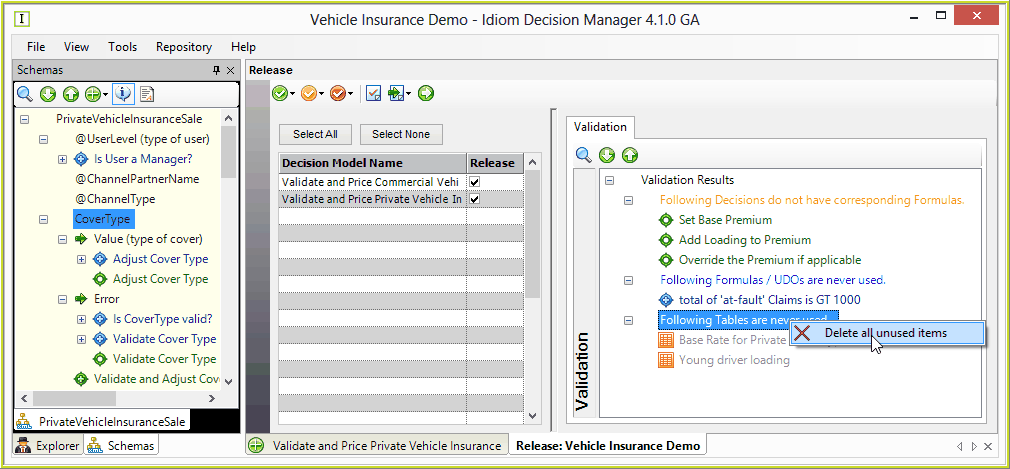
Figure 7-24(b): Delete Unused Formulas, UDOs and tables
2. |
To delete all unused items in the repository, right-click on the relevant 'are never used' validation, and select 'Delete all unused items. |
Tips |
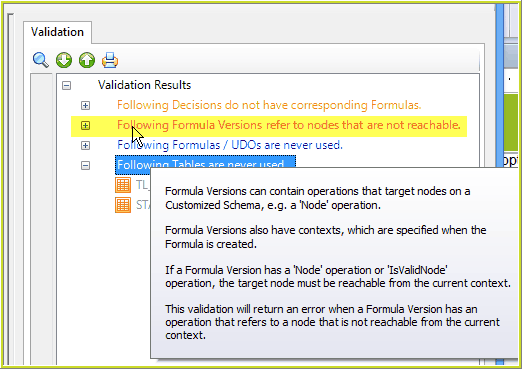
1.Hover over the Validation Error Message to view Tooltips on why the validation message has occurred.
2. Double-click on the formula/decision to be taken to open the associated decision/formula palette
|