Date and DateTime Hover Tab |
  
|
Date and DateTime Hover Tab |
|
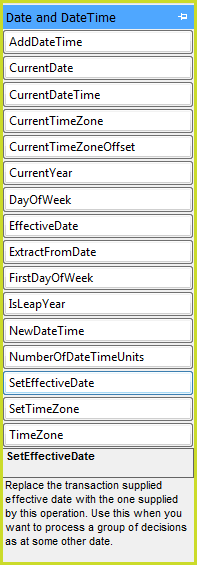
Date and Time Hover Tab
AddDateTime |
Add the stipulated number of intervals to the nominated dateTime. The amount of time being added is allowed to be negative, in which case the date will be decremented. Possible modes include Years, Months, Weeks, Days, Hours, Minutes and Seconds. |
CurrentDate |
Retrieve the current date from the system. |
CurrentDateTime |
Retrieve the current Date and Time from the system. |
CurrentTimeZone |
Gets the ID of the Decision Model's current time zone |
CurrentTimeZoneOffset |
Retrieves the current time zone offset that the Decision Model has been set to execute under (taking daylight savings into account) |
CurrentYear |
Retrieve the current Year (as an Integer) from the system. |
DayOfTheWeek |
Determines the name of the day of the week from the given date (e.g. Sunday, Friday etc.). This is a shortcut to suing the ToString operator with 'dddd' as the format. To get the numerical representation, use the ExtractFromDate operator with the 'day of week' mode. |
EffectiveDate |
Retrieve the current effective date being used for the decision model at the time of execution. |
ExtractFromDate |
Extracts the specified date component of the supplied dateTime; returns an integer. For example, when argument is 2003-09-19 and the Mode is Year, it will return 2003; when the Mode is Day, it will return 19. Possible modes include Year, Month, Day, Day of Year, Week of Year, Hour, Minute and Second. |
FirstDayOfWeek |
Returns the name of the first day of the week that the current system uses. |
isLeapYear |
Determines if a given Date is in a leap year or not. |
NewDateTime |
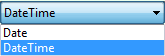
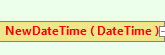
Create a new instance of a date/time object for individual components (year/month/day/hour/minute/second) If the 'Date' mode is chosen, the time of the new date will be set to exactly midnight. Valid years are between 1 and 9998, months are represented from 1 (January) to 12 (December), and hours are in 24-hour format (so 0-23 are valid). Double-click on NewDateTime to select the 'Date' or 'DateTime' mode:
|
NumberofDateTimeUnits |
Calculate the number of whole intervals [Years/Months/Weeks/Days/Minutes/Seconds] between two dates. Partial intervals are ignored. When the start date is later than the end date, this will return a negative number. |
SetEffectiveDate |
Replace the transaction supplied effective date with the one supplied by this operation. Use this when you want to process a group of decisions as at some other date. |
SetTimeZone |
Sets the decision model’s time zone offset. This will affect all DateTime output values. |
TimeZone |
Time zones that can be used with the SetTimeZone operator, or simply as a string value. |
Table 8-5: Operators available from the Date and DateTime Hover Tab
 ->