Creating a new User |
  
|
Creating a new User |
|
New users are created by both the System Administrator and the Workgroup Administrator in the User/Workgroup Management window.
STEPS to create a new user:
1. |
Select Tools | User/Workgroup Management > User/Workgroup Management window |
2. |
Right-click in the Users section of the window and select New User |
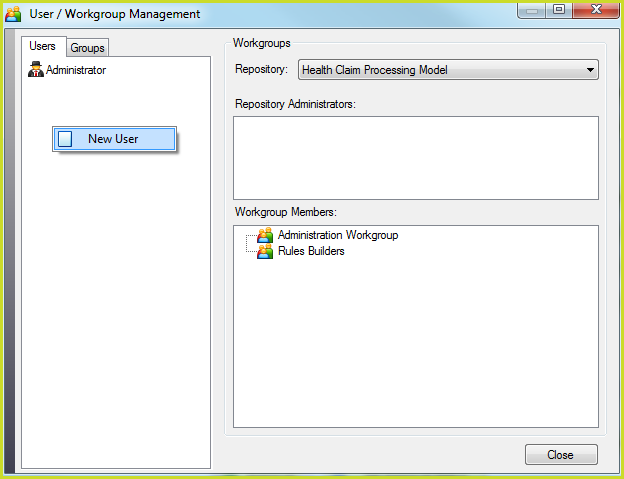
Figure 6-32(a): Right-click in the Users section of the User/Workgroup Management window to add a new user
3. |
Enter the new user name, (without any spaces) and password in the Add New User dialog box |
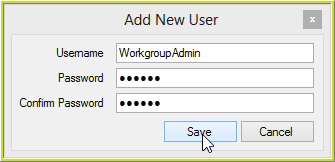
Figure 6-32(b): Entering new user details in the Add New User dialog box
4. |
Click on the Save button |
The New User appears in the list of users in the User/Workgroup Management window
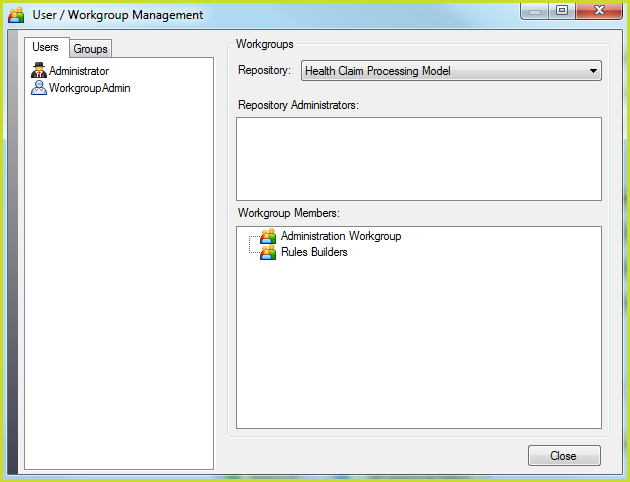
Figure 6-32(c): New User is created