Add Internal Schema |
  
|
Add Internal Schema |
|
The first step to using the Idiom Internal Schema is to add it to each of the decision models in the repository. It is not strictly necessary to add it to decision models that you know will never use it, but we consider it good practice to have it there for each so that it is available.
The process is the same as it is for adding any schema to a decision model.
1. |
Import and open the VehicleInsuranceControl.idm repository. This is located: ..:\Program Files\Idiom Software\Idiom Decision Manager V4.5\Sample Repositories folder. |
2. |
Open the first Decision Model and click on Properties icon in top menu bar. |
3. |
Right click in the Schema Name pane, and select “idiom:InternalVariables” schema. |
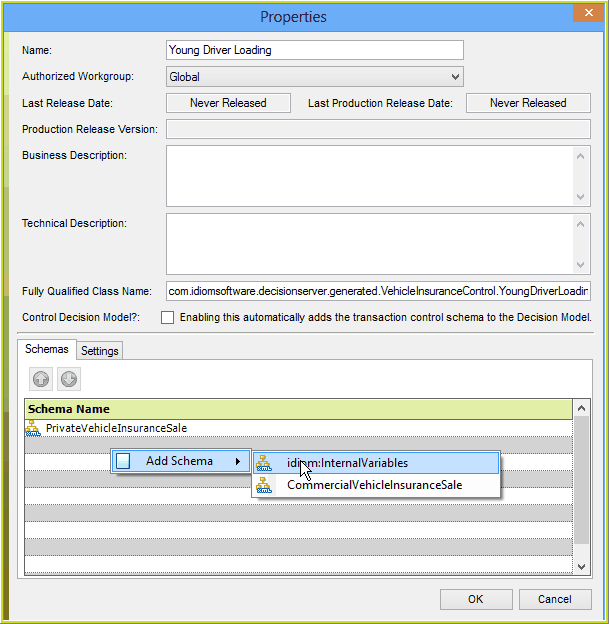
Figure-4-62: Attaching the InternalVariables Schema to a decision model
4 |
Click “OK” |
5. |
Repeat for each decision model. |